💳 Completing Checkout
After adding items to your cart on Gaijinmall, the next step is to complete your purchase. This guide walks you through the checkout process step-by-step.
Step-by-Step Checkout Process
-
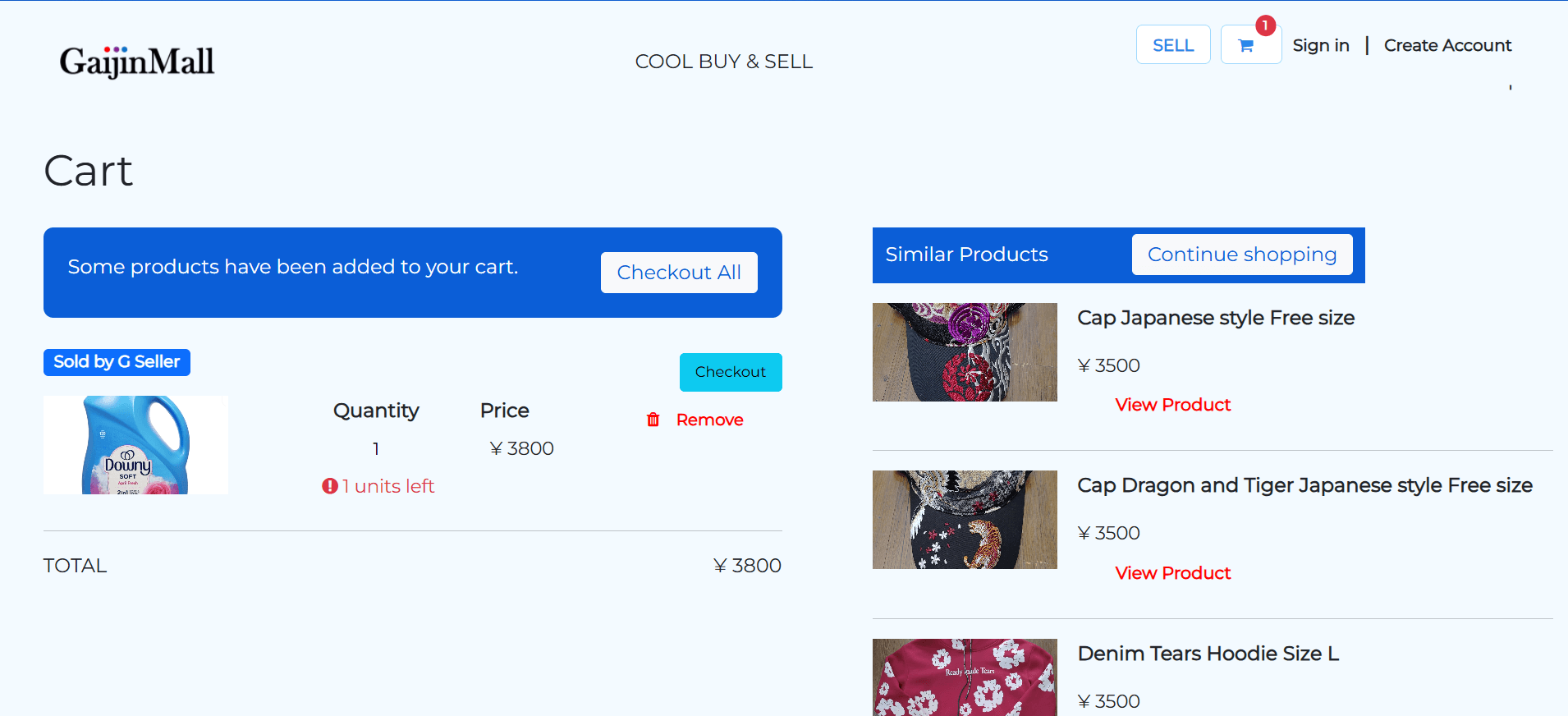
Open Your Cart Click the cart icon at the top-right corner of the screen to review your selected items.

-
Review Your Cart
- Check quantities, prices, and product variations.
- Make adjustments or remove any unwanted items.
-
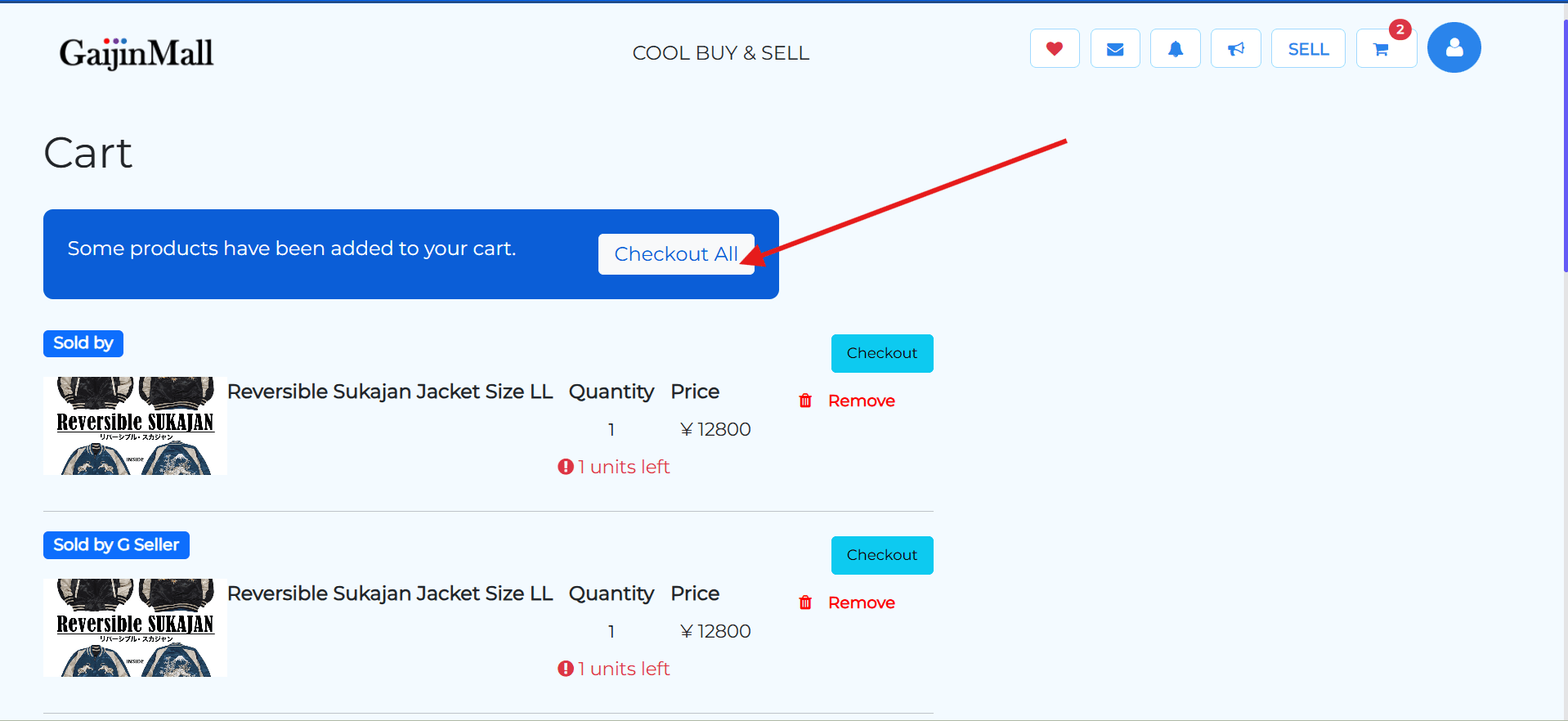
Click “Proceed to Checkout” Once you’re satisfied with your cart, click the Proceed to Checkout button.
🚚 Entering Shipping Information
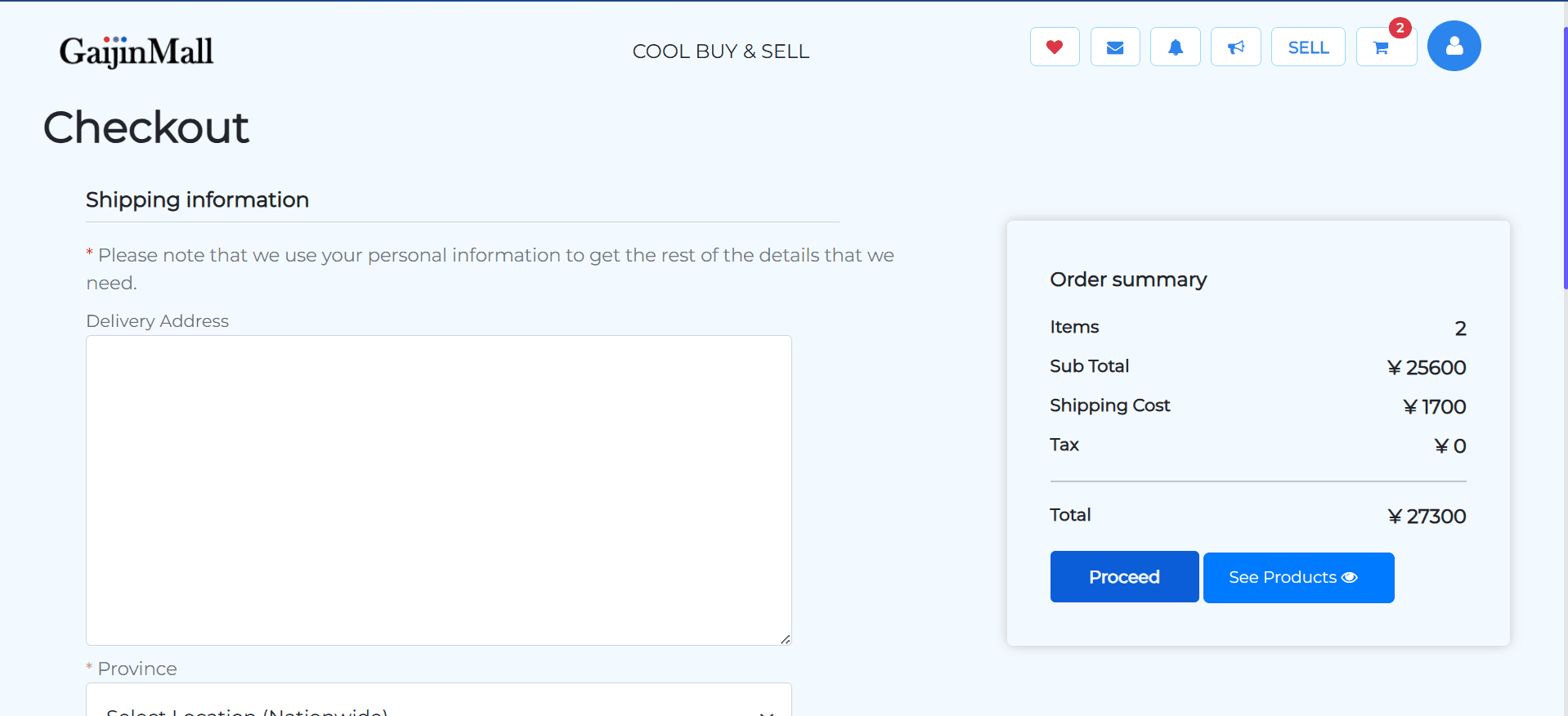
- Provide Delivery Details
Fill in your shipping information including:
- Recipient name
- Address
- Phone number
- Delivery instructions (optional)
💳 Selecting a Payment Method
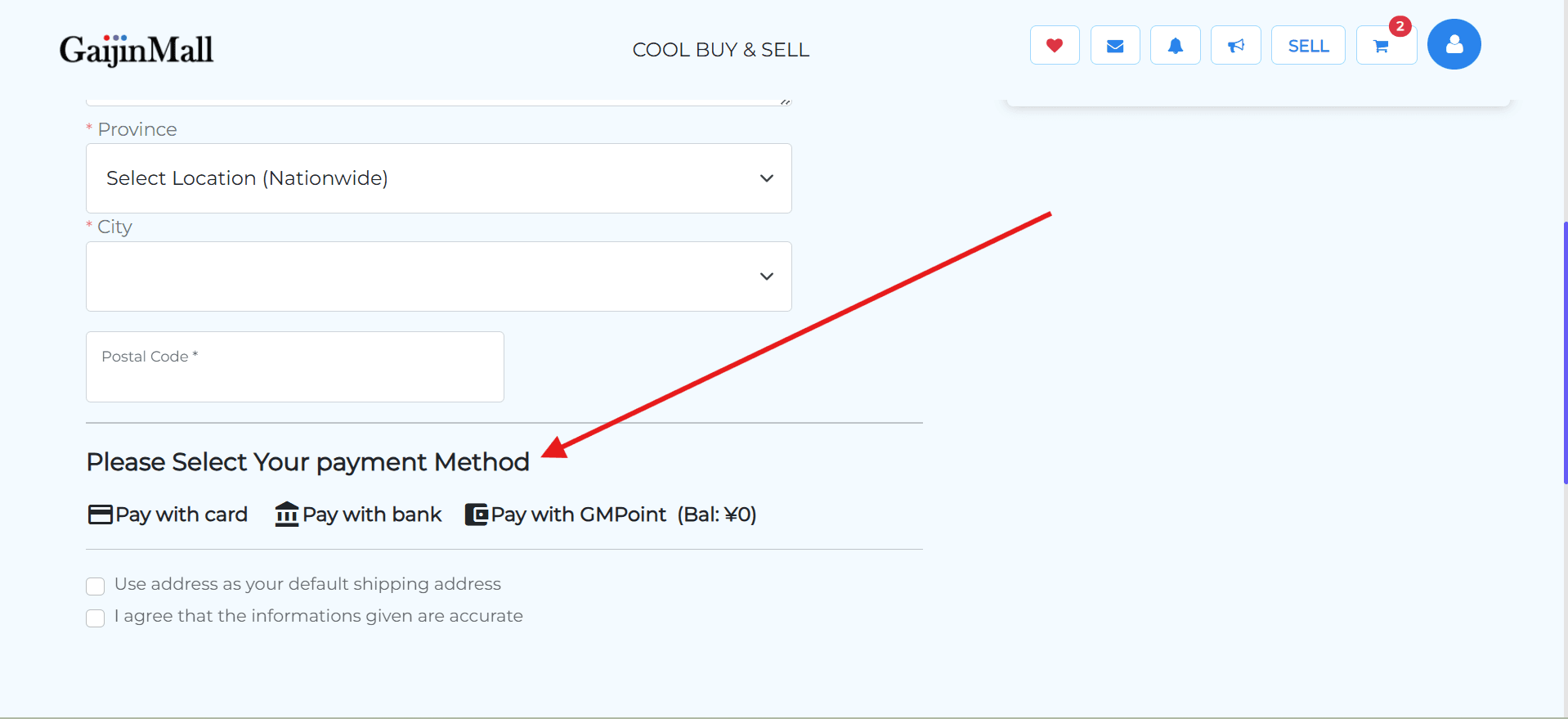
- Choose How to Pay
Pick from available payment options such as:
- Pay with card
- Pay with bank
- Pay with GMPoint
- credit_card
✅ Placing the Order
- Click “Place Order” or “Complete Payment”
Submit your order and make payment if required.
- You’ll receive a confirmation message once successful.
- You may also receive an email or SMS receipt.
What Happens Next?
- You can track your order from the Orders section in your profile.
- The seller will be notified and start processing your order.
- For vendor purchases, estimated delivery time will be displayed.
🆘 Having Issues?
If you run into any problems during checkout:
- Ensure your internet connection is stable.
- Make sure your payment method is valid.
- Visit Contact Support if the issue continues.
Last updated on