Reporting a Fake Listing
To maintain a safe and trustworthy marketplace, GaijinMall allows users to report listings that appear to be fake, misleading, or violate platform policies.
What Is a Fake Listing?
A fake listing could include:
- Products that don’t exist
- Misleading descriptions or fake pricing
- Use of stolen images
- Duplicate or spam-like ads
⚠️ Always report suspicious listings — your feedback helps keep the marketplace safe for everyone.
How to Report a Listing
Open the product listing you believe is fake.
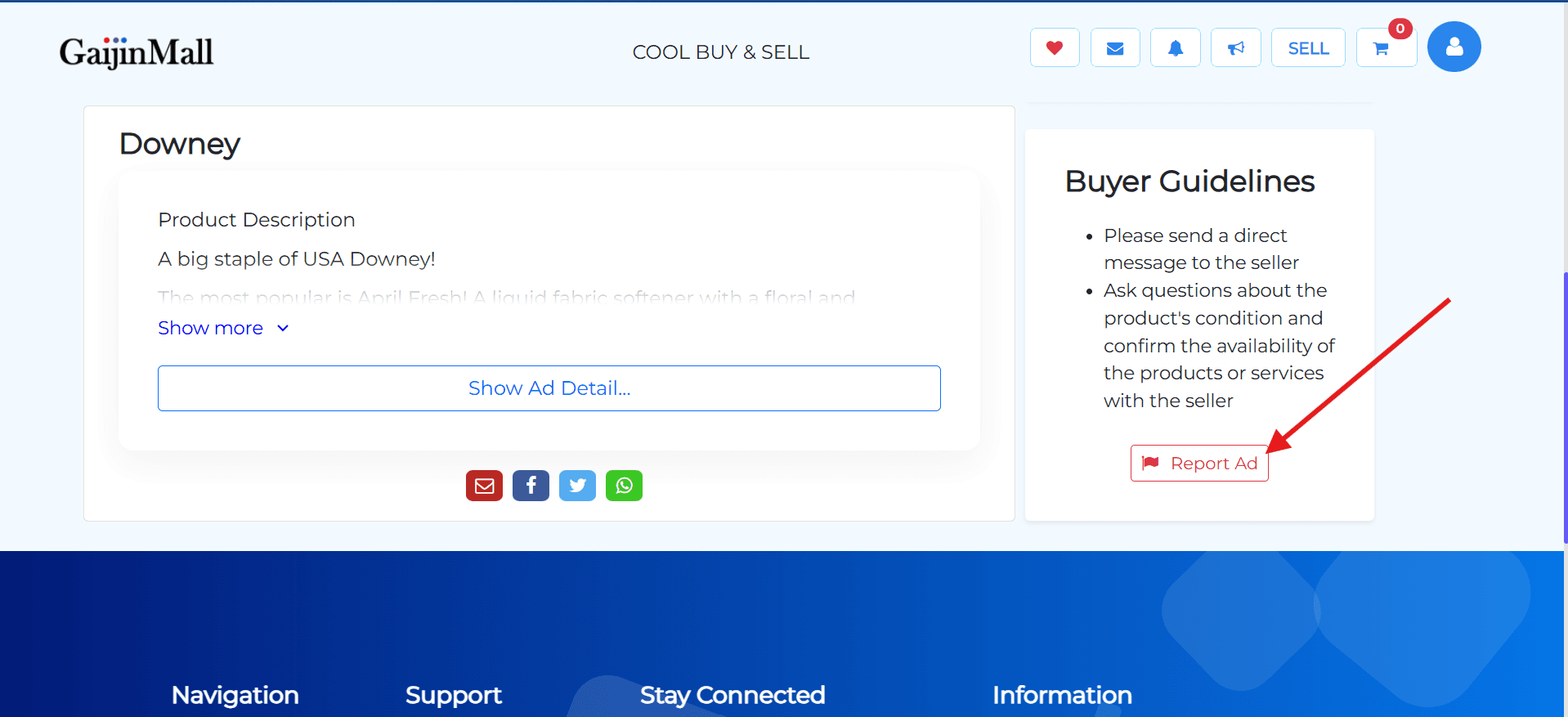
- Choose “Report Listing” from the dropdown.
- Select a reason for the report:
- Fake product
- Misleading price/info
- Offensive content
- Duplicate or spam
- Other
- Optionally add a comment or screenshot to explain what’s wrong.
- Submit the report.
What Happens Next?
Once submitted:
- Our moderation team will review the listing.
- If the ad violates our rules, it will be taken down.
- Repeated violations by a seller can lead to account suspension.
🔒 Your identity remains confidential — the seller won’t know you reported the ad.
You can also email us directly at support@gaijinmall.com if needed.
Stay Informed
- For urgent cases or scam suspicions, Contact Support
Last updated on