💳 Withdrawing Payments
As a seller on Gaijinmall, you can withdraw your available earnings directly from your Vendor Dashboard. This section explains how to request a payout or convert your revenue into GMPoints.
How to Access the Withdrawal Page
-
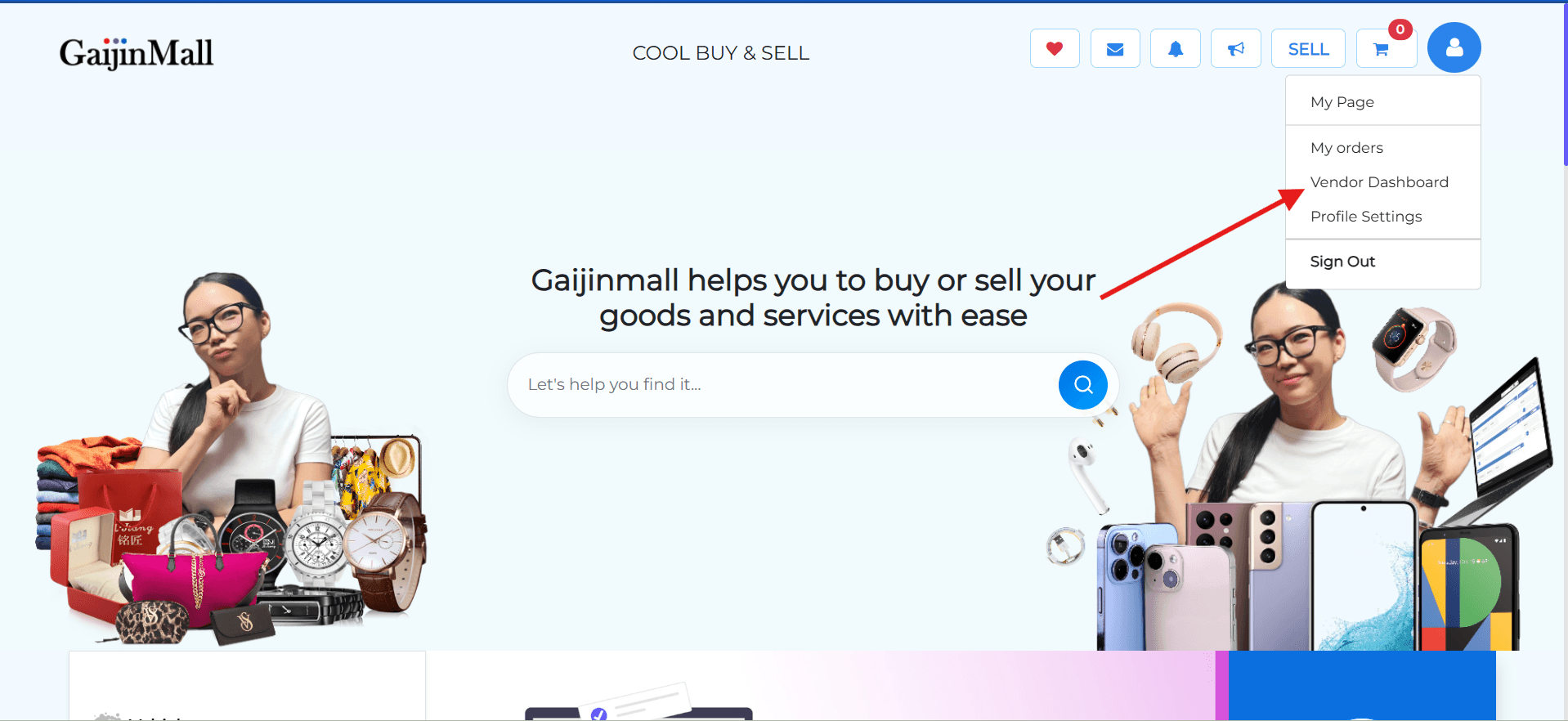
Click the Profile Icon at the top-right corner of your screen.
-
From the menu, select Vendor Dashboard under the “Business” section.
Vendor Dashboard Overview
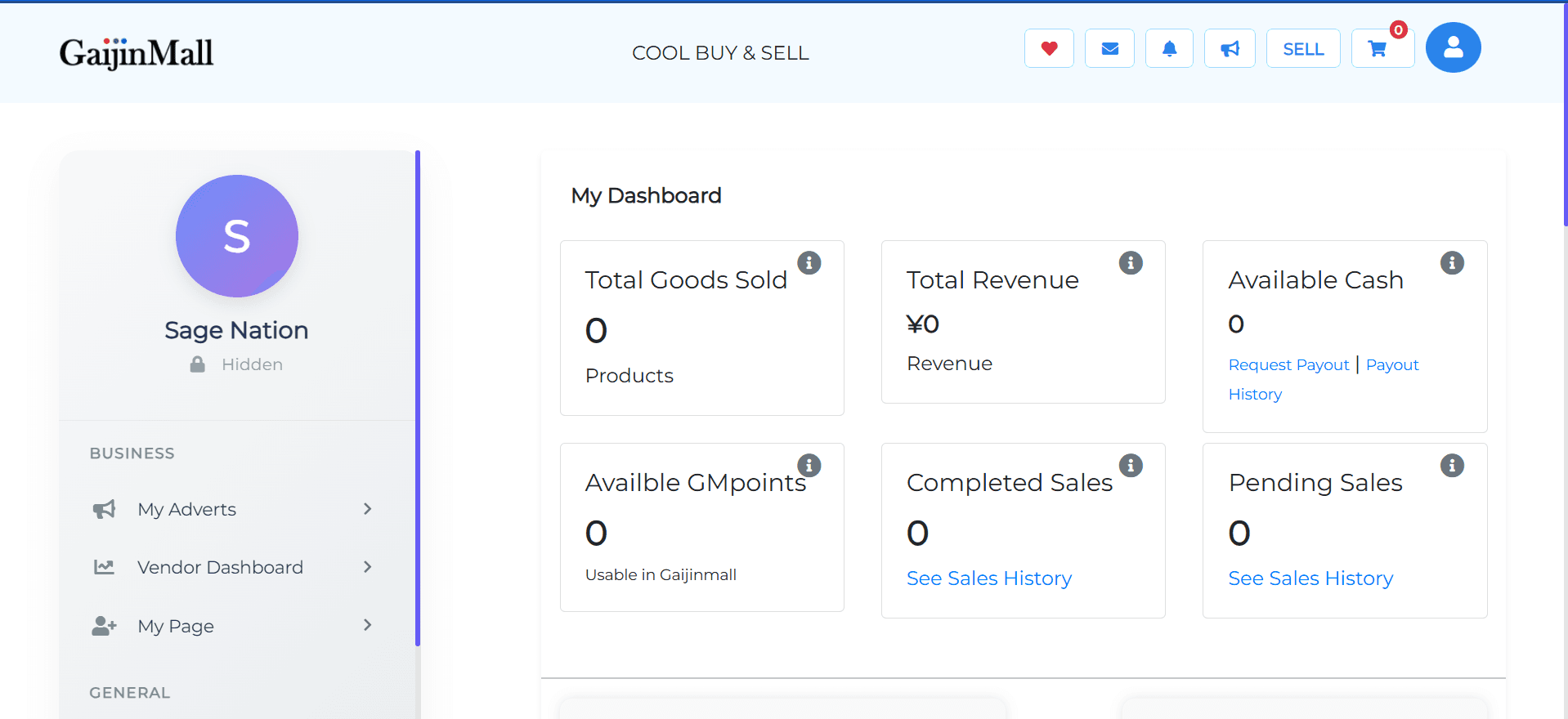
Once in your dashboard, you’ll see a summary of your sales and earnings:
-
Total Goods Sold
-
Total Revenue
-
Available Cash
-
Request Payout | Payout History
-
Available GMPoints
-
Completed Sales | Pending Sales
Requesting a Cash Payout
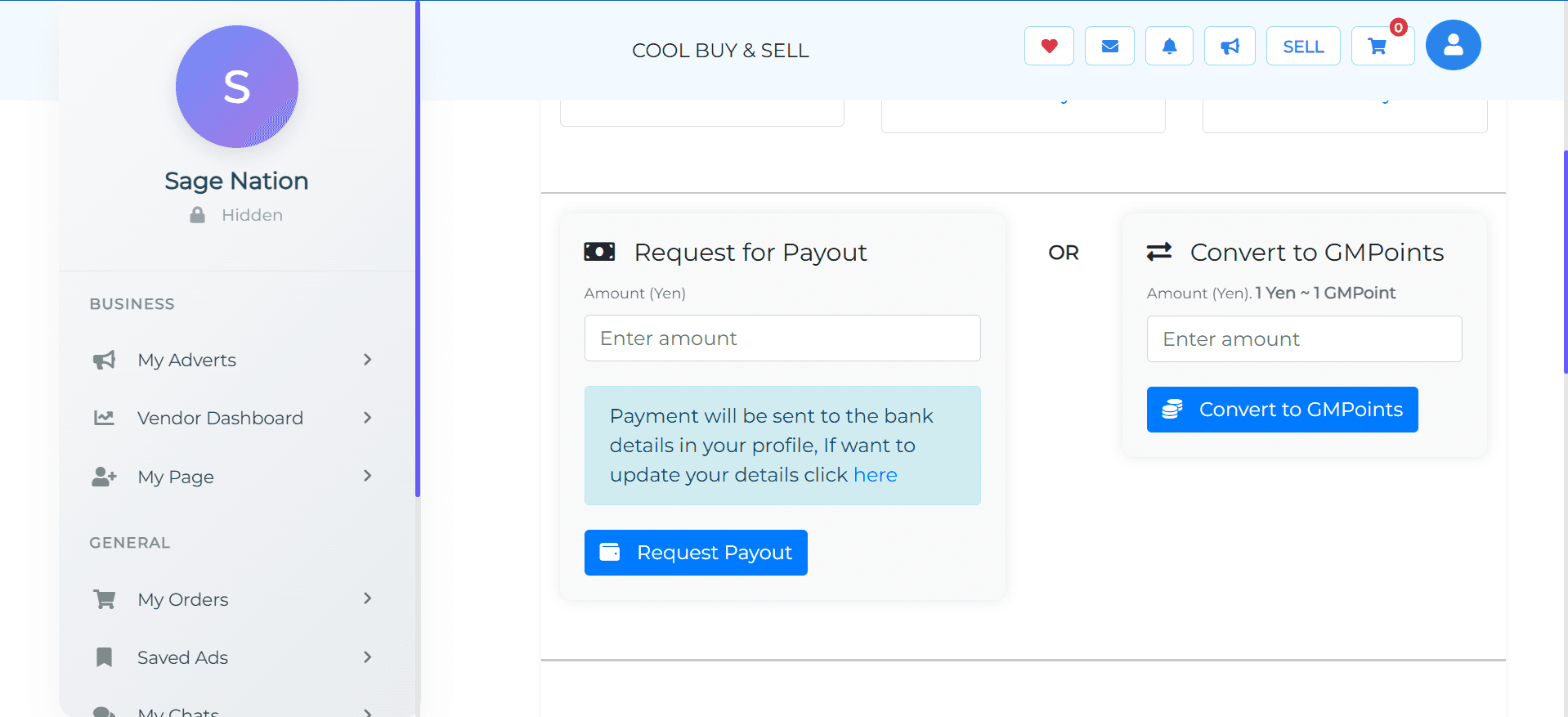
- Under Available Cash, click on Request Payout.
- Enter the amount you wish to withdraw in Yen.
- A note will remind you:
“Payment will be sent to the bank details in your profile. If you want to update your details, click here.”
-
Confirm and submit the request.
🔔 Note:
Ensure your Bank Details are correctly filled in under Profile Settings to receive your payout.
Converting Revenue to GMPoints
Instead of a direct bank withdrawal, you can convert your available cash to GMPoints (1 Yen = 1 GMPoint).
- Under Convert to GMPoints, enter the amount you want to convert.
- Confirm and submit the conversion.
🛍️ GMPoints can be used within Gaijinmall for promotions or internal purchases. Learn how in our guide: How to Promote Your Ad
Payout and Sales History
- Use the Payout History link to view all your withdrawal requests.
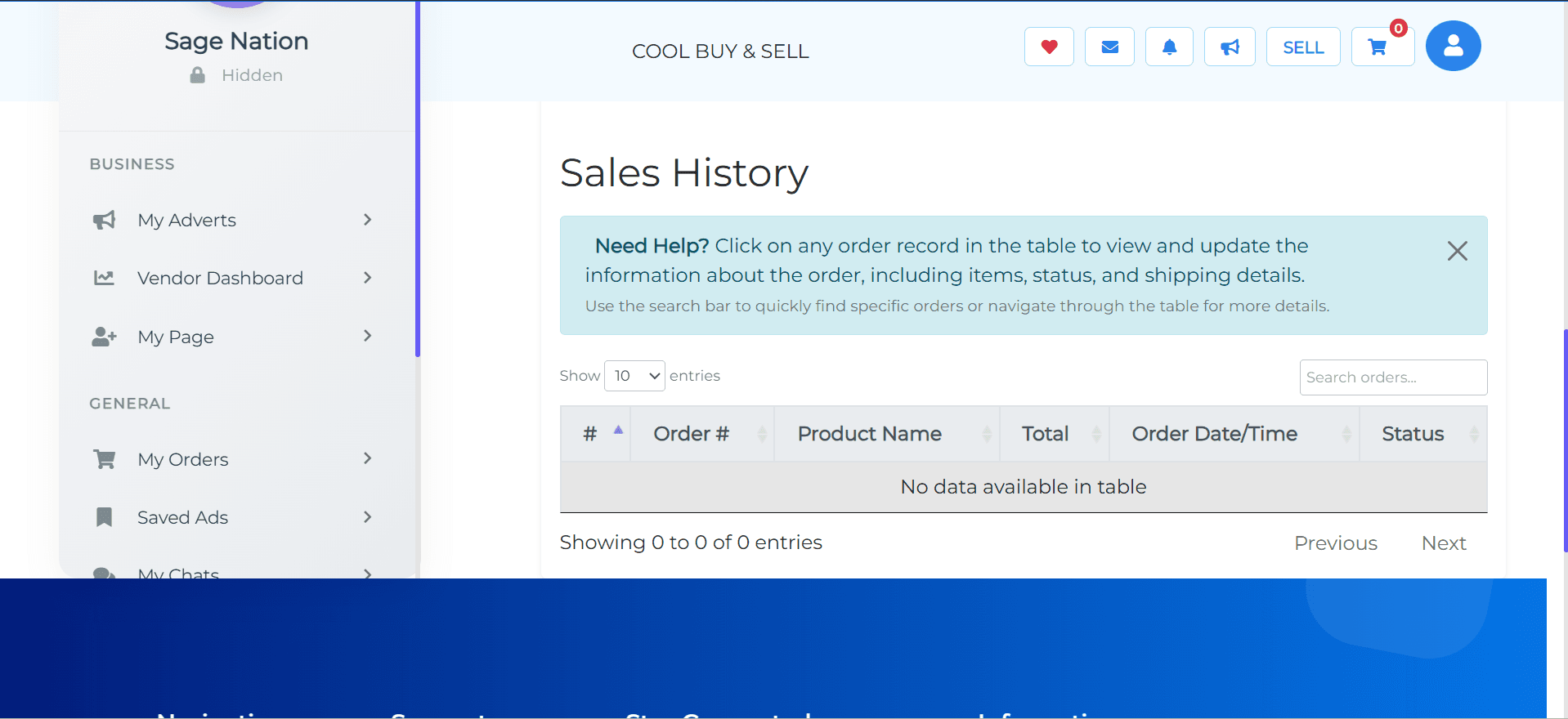
- Under Sales History, track both Completed and Pending orders.
- Use the search bar or order table to view details, including product, amount, and order status.
Troubleshooting & Tips
- Make sure the amount you enter does not exceed your Available Cash.
- Always keep your bank information up to date.
- If a withdrawal fails, contact Support immediately.
Need more help? Click any order in the Sales History table to view and manage its details.