💬 How to Message a Seller
Communicating with a seller is an easy way to get answers to your questions about a product before you buy. You can ask about item condition, availability, or any other details you need.
1. Finding the Chat Button
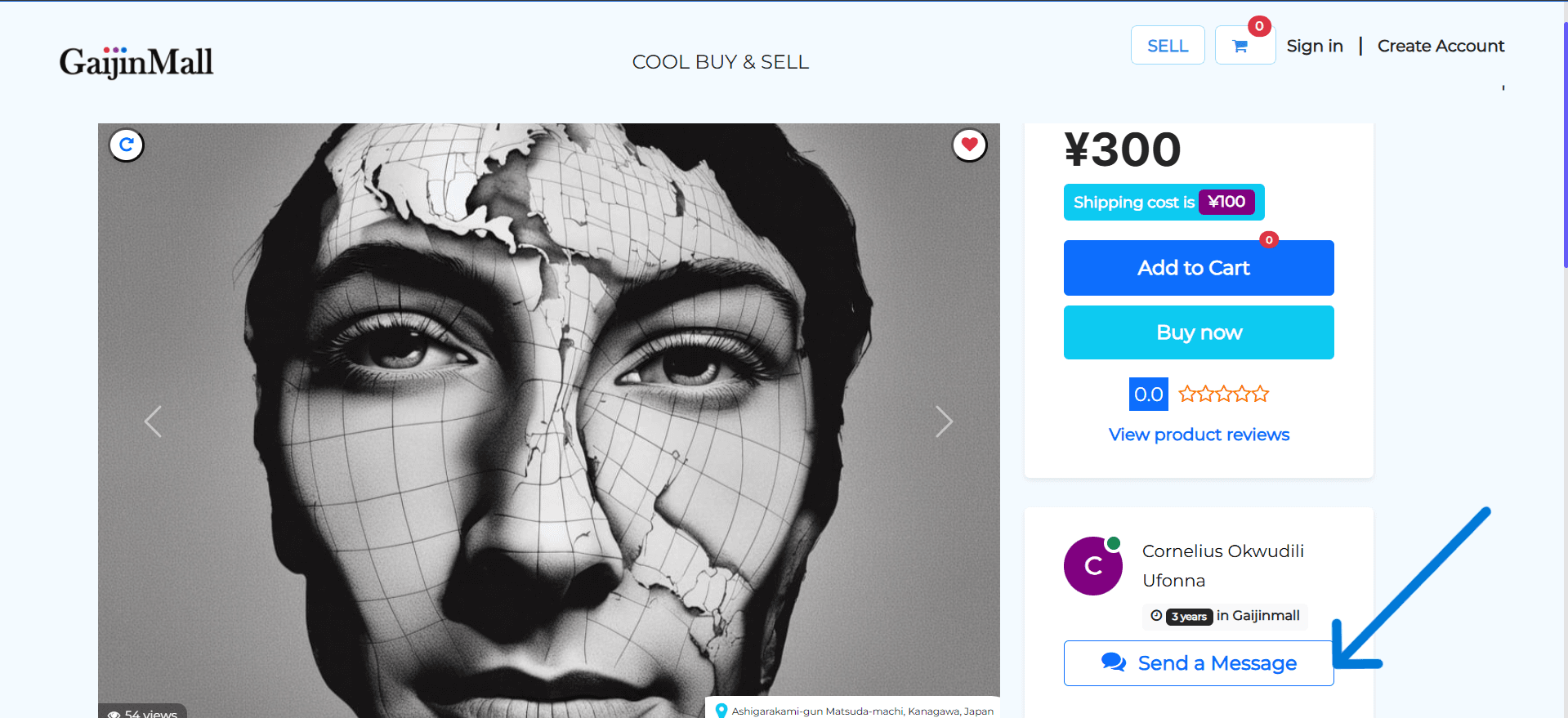
The option to message a seller is found on every product page.
- Go to the Product Listing: Navigate to the product page you are interested in.
- Find the “Chat” button: Look for the chat button near the product description or seller information.
2. Sending Your Message
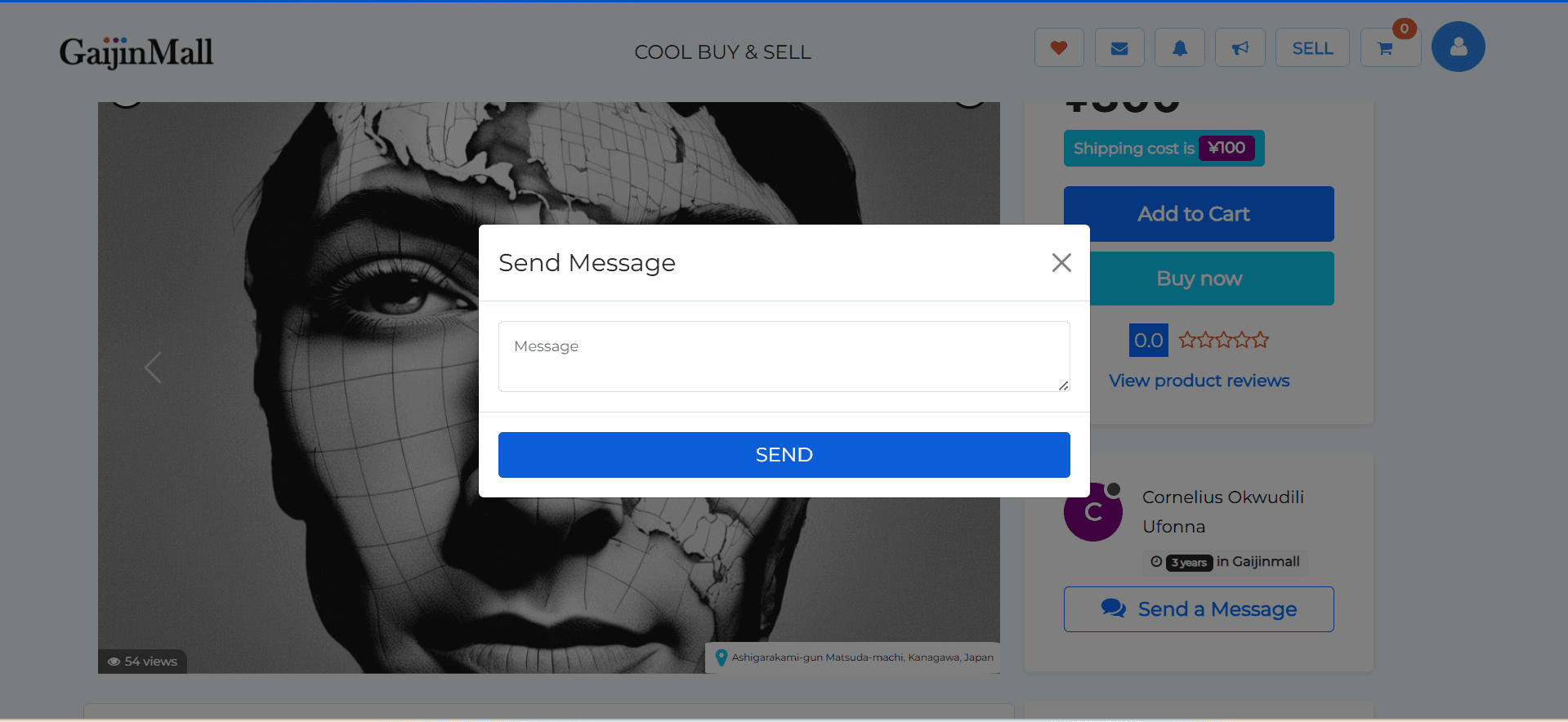
- Click the “Send a Message” button.
- A pop-up or dialog box will appear.
- Type your message in the box.
- Send it: Click the send button to deliver your message to the seller.
💡 Messaging Tips
- Be clear and concise: Start with your question directly.
- Ask about availability: Always confirm if the item is still available before you proceed with a purchase.
- Stay on the platform: For your security, keep all communication and transactions within the Gaijinmall app.
✅ What Happens Next?
- The seller will receive a notification of your message.
- You will be notified when the seller replies.
- You can find all your conversations in the messages section of your account.
Last updated on