🧐 Understanding Product Listings
When you find a product on Gaijinmall, the listing page provides all the information you need to make an informed decision. This guide will walk you through each section.
1. Product Header
This section gives you an immediate overview of the item.
- Product Name: For example, “Black Earth Tshirt”
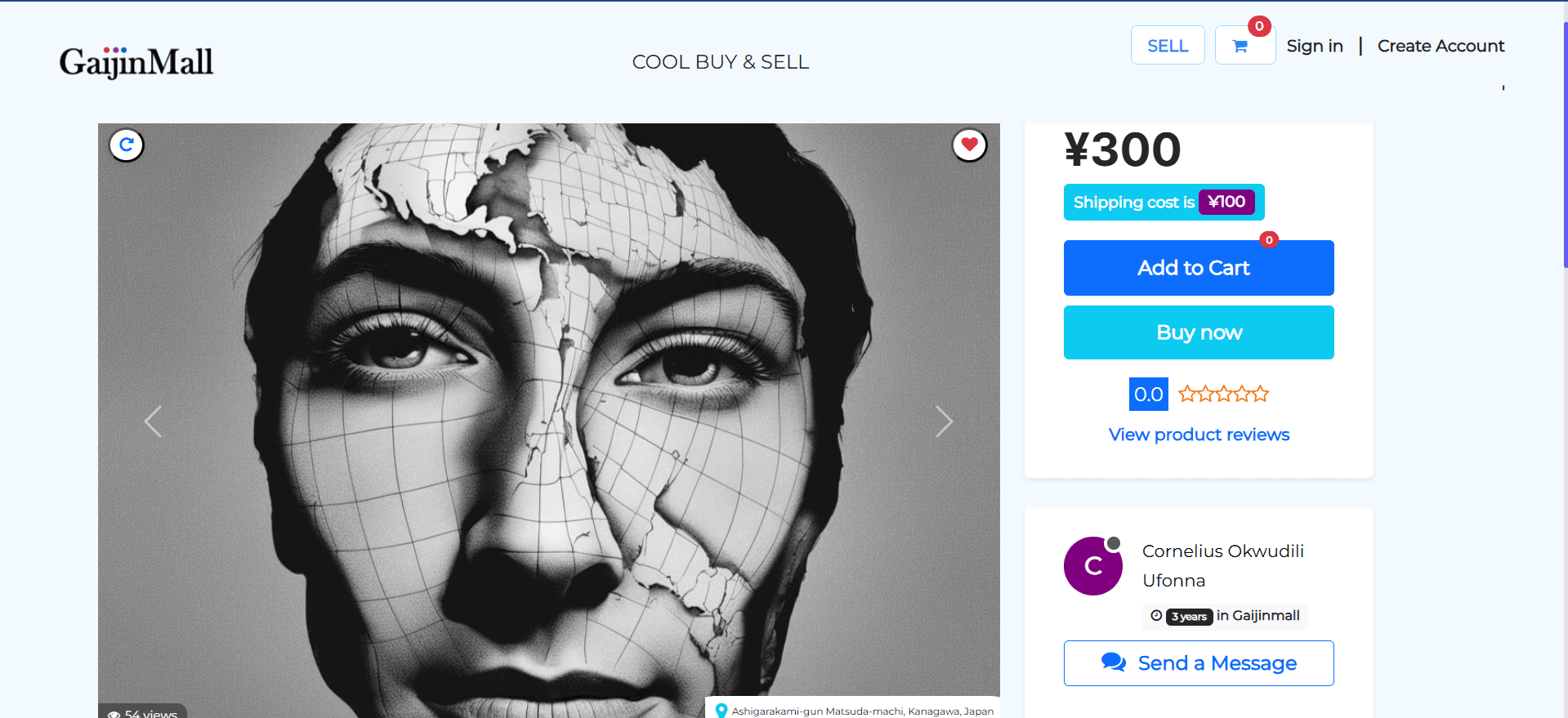
- Price: The item price is shown, such as ¥300, with the shipping cost listed separately, for example, ¥100.
- Views: The number of times the ad has been viewed, like 54 views.
2. Product Information and Actions
This is where you’ll find details about the product and the main action buttons.
- Product Image: The main image of the product is displayed at the top of the page. You can use the “Next” button to see additional photos if the seller has provided them.
- Description: This section contains details about the product.
- Reviews: The number of reviews is shown as a star rating (e.g., 0.0 ⭐), and a button allows you to View product reviews.
- Buy Now: Click this to proceed directly to checkout and purchase the product.
- Message Seller: A guide is provided to help you communicate with the seller directly, for example, “Please send a direct message to the seller” and “Ask questions about the product’s condition and confirm the availability of the products or services with the seller”.
3. Seller Information
You can find details about the person or business selling the item.
- Seller Name: The name of the seller is displayed (e.g., Cornelius Okwudili Ufonna).
- Seller History: You can see how long the seller has been on Gaijinmall (e.g., 3 years).
- Seller Location: The seller’s location is provided (e.g., Ashigarakami-gun Matsuda-machi, Kanagawa, Japan).
4. Other Sections
- Similar Adverts: This section displays other products that might be of interest to you, based on what you are currently viewing.
- Footer Navigation: The bottom of the page includes links to other important sections of the site, such as Support, Billing policy, Privacy policy, and About us.
Last updated on