📝 Create an Account
Creating an account on Gaijinmall is quick, secure, and completely free. Whether you’re here to buy or sell, registering an account gives you access to all platform features, including posting ads, managing orders, and messaging sellers.
🪪 Why Register?
- Post your own listings in under 2 minutes
- Manage and track your orders in one place
- Connect securely with verified buyers and sellers
- Receive notifications on activity and messages
🔐 Registration Requirements
To register, you’ll need:
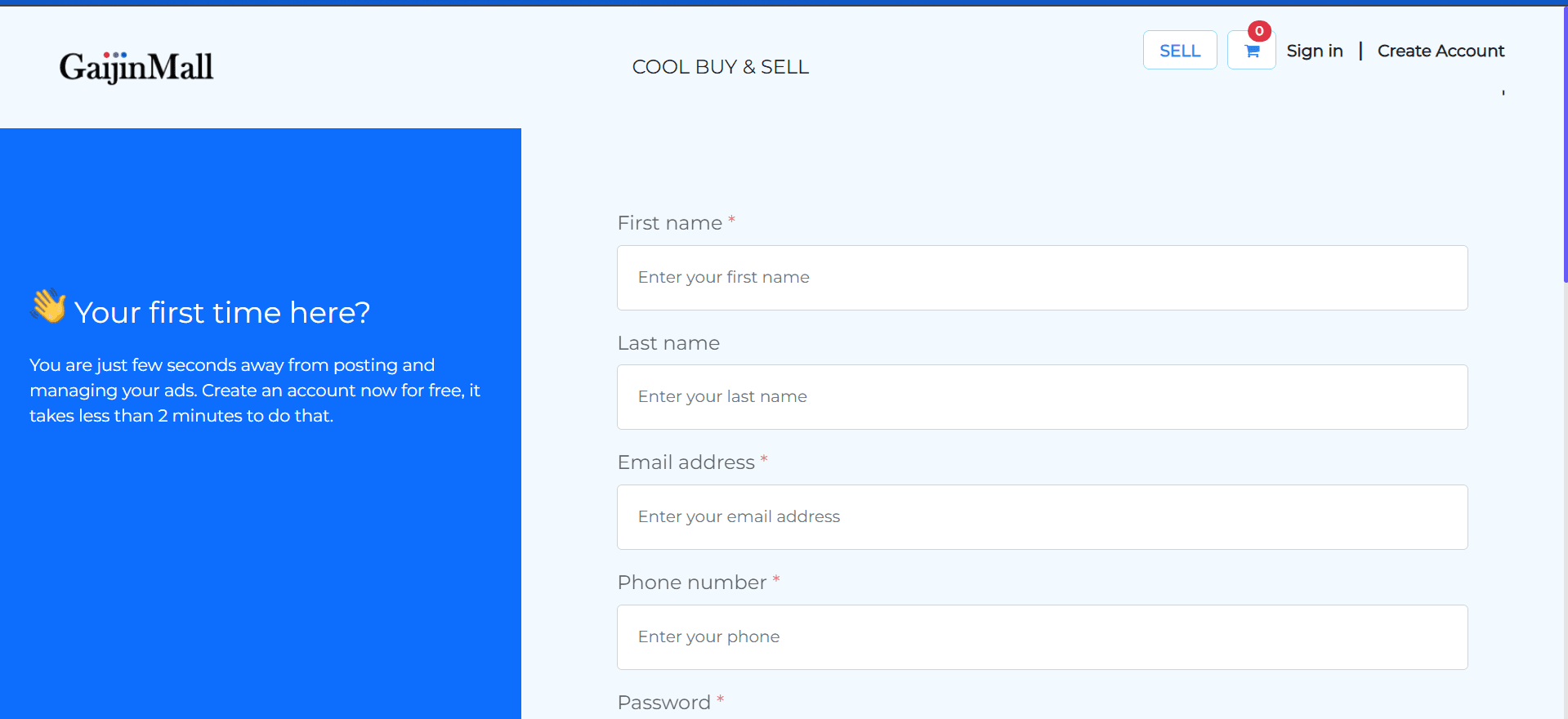
- A valid first and last name
- A working email address
- A Japanese phone number
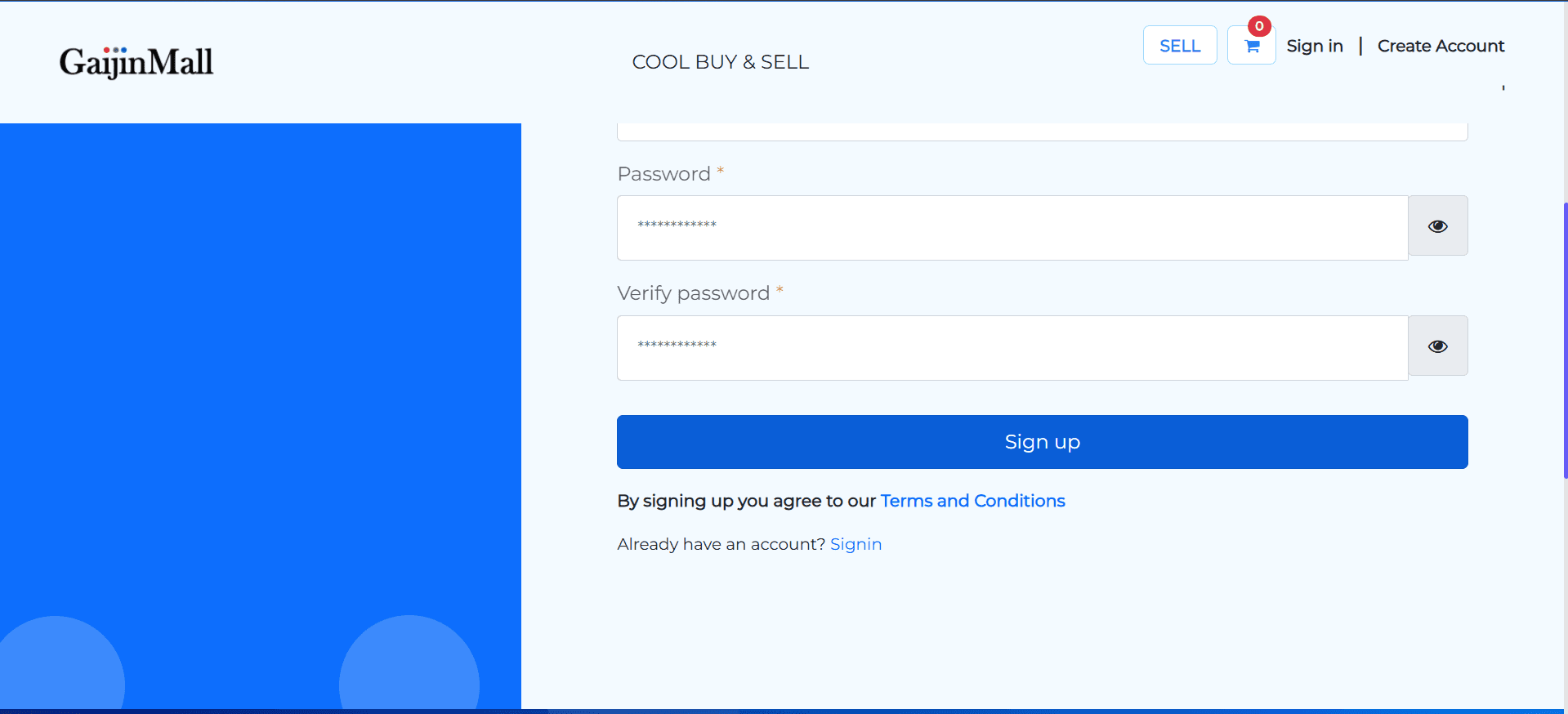
- A secure password (and confirmation)
📌 Note: Only Japanese phone numbers are currently accepted for verification.
🖼️ Step-by-Step Guide
1. Fill in Your Personal Details
Enter your basic information, including your name, email, and Japanese phone number.
2. Create and Confirm Your Password
Choose a strong password, confirm it, and click Sign up.
✅ Next Step
Once you complete the form:
- Click Sign up
- A verification message will be sent to your Japanese mobile number
- Enter the code to activate your account
After that, you’re ready to start browsing or posting ads.
🆘 Having Issues?
If you encounter problems while registering:
- Contact Support for help
📌 Tip: Make sure your phone number is Japanese and active to receive the verification code.
Last updated: June 13, 2025 • © 2025 Gaijinmall
Last updated on