🔐 Sign In to Your Gaijinmall Account
Once you’ve successfully created and verified your account, signing in allows you to access your personalized dashboard, manage your listings, and interact with other users on the platform.
✅ Requirements Before You Sign In
To sign in, you must first verify your account using a valid Japanese phone number. This is a required security step to ensure the integrity of our platform.
Verification Process:
- During account creation, enter a valid Japanese mobile number.
- A 6-digit verification code will be sent via SMS.
- Enter this code when prompted to complete your registration.
⚠️ Note: You cannot sign in until your account has been verified.
🧾 Signing In
After verification, visit the sign-in page and enter your details:
- Email address or phone number (used during registration)
- Password
Once you’ve entered your credentials, click Sign in.
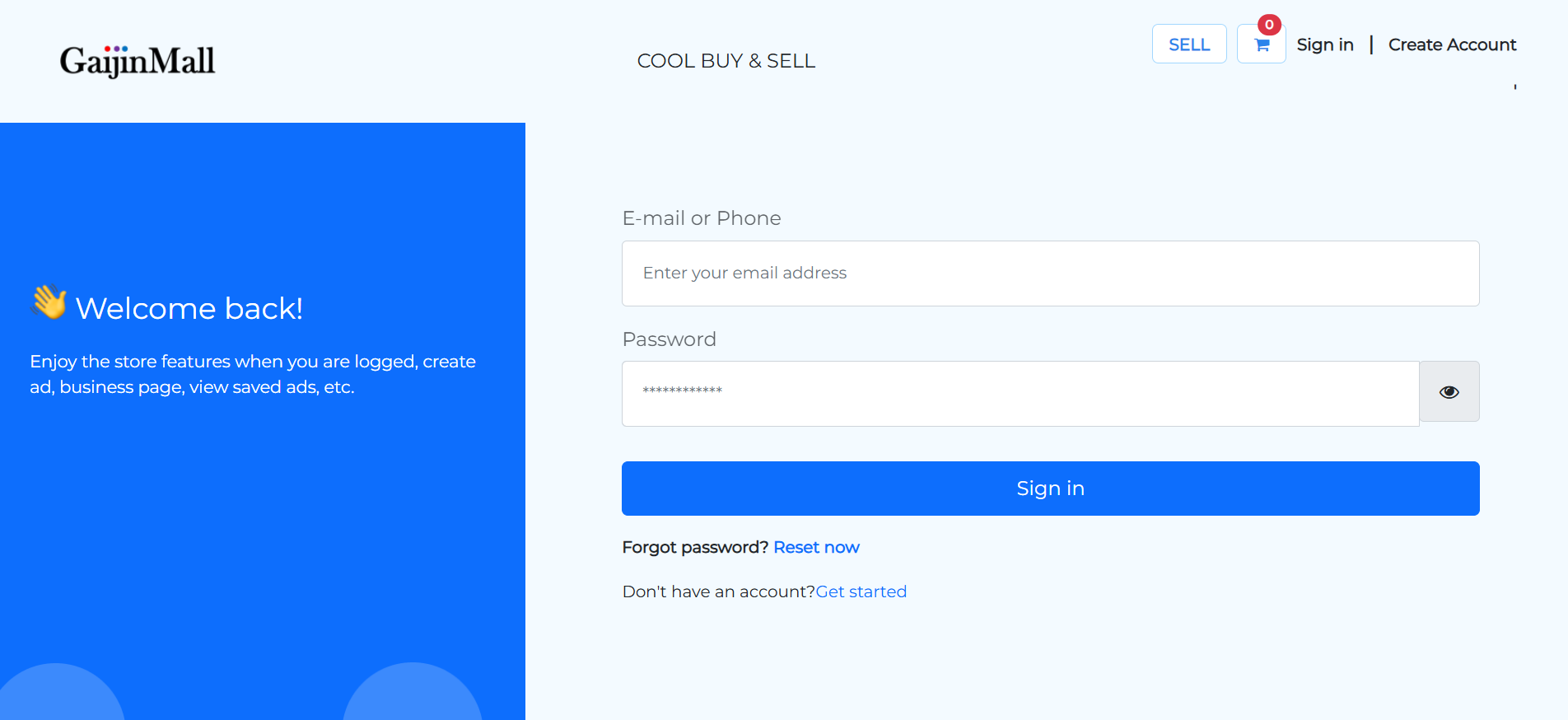
🔁 Forgot Your Password?
If you’ve forgotten your password, click Reset now to initiate a secure password reset. A reset link will be sent to your registered email address or phone number.
🆘 Need Help?
If you’re unable to sign in even after verification:
- Double-check that you entered the correct Japanese phone number
- Ensure that the verification SMS was successfully completed
- Or Contact Support for assistance
🎯 Next Steps
Once logged in, you can:
- Post ads and services
- View and manage saved listings
- Access your seller dashboard
- Communicate directly with other users
📌 Tip: Enable “Remember Me” on trusted devices for quicker access next time.
Last updated: June 13, 2025 • © 2025 Gaijinmall