Resetting Your Password
If you’ve forgotten your password or want to change it for security reasons, gaijinmall provides a simple and secure way to reset it.
When Should You Reset Your Password?
- You forgot your login password
- You suspect someone else accessed your account
- You want to update it for better security
How to Reset Your Password
Option 1: From the Login Page
-
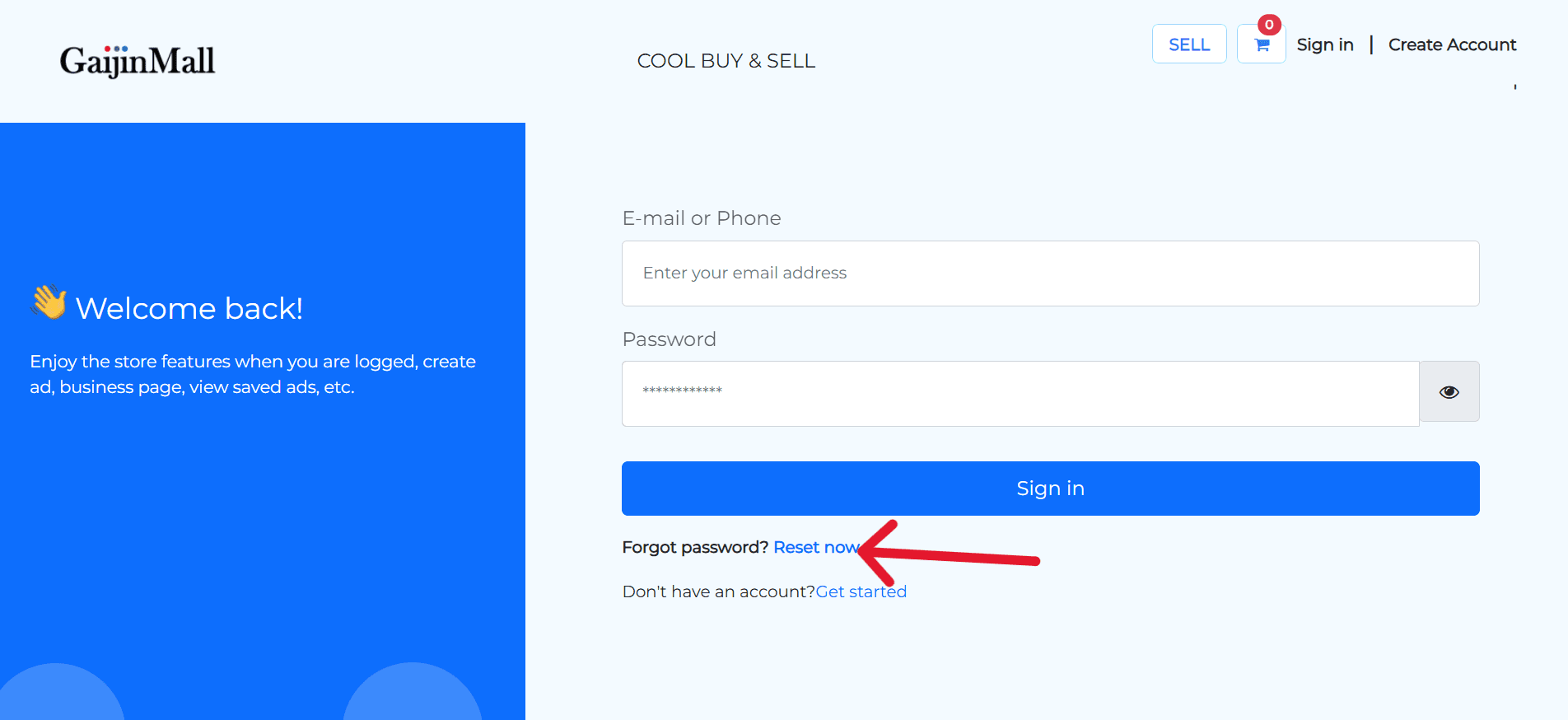
Go to the login screen.
-
Click or tap on “Forgot Password?” beneath the login button.
-
Enter your registered email or phone number.
-
You’ll receive a reset link (email) or code (SMS).
-
Follow the link or enter the code to access the password reset form.
-
Enter your new password and confirm it.
Option 2: From Inside Your Account (If Logged In)
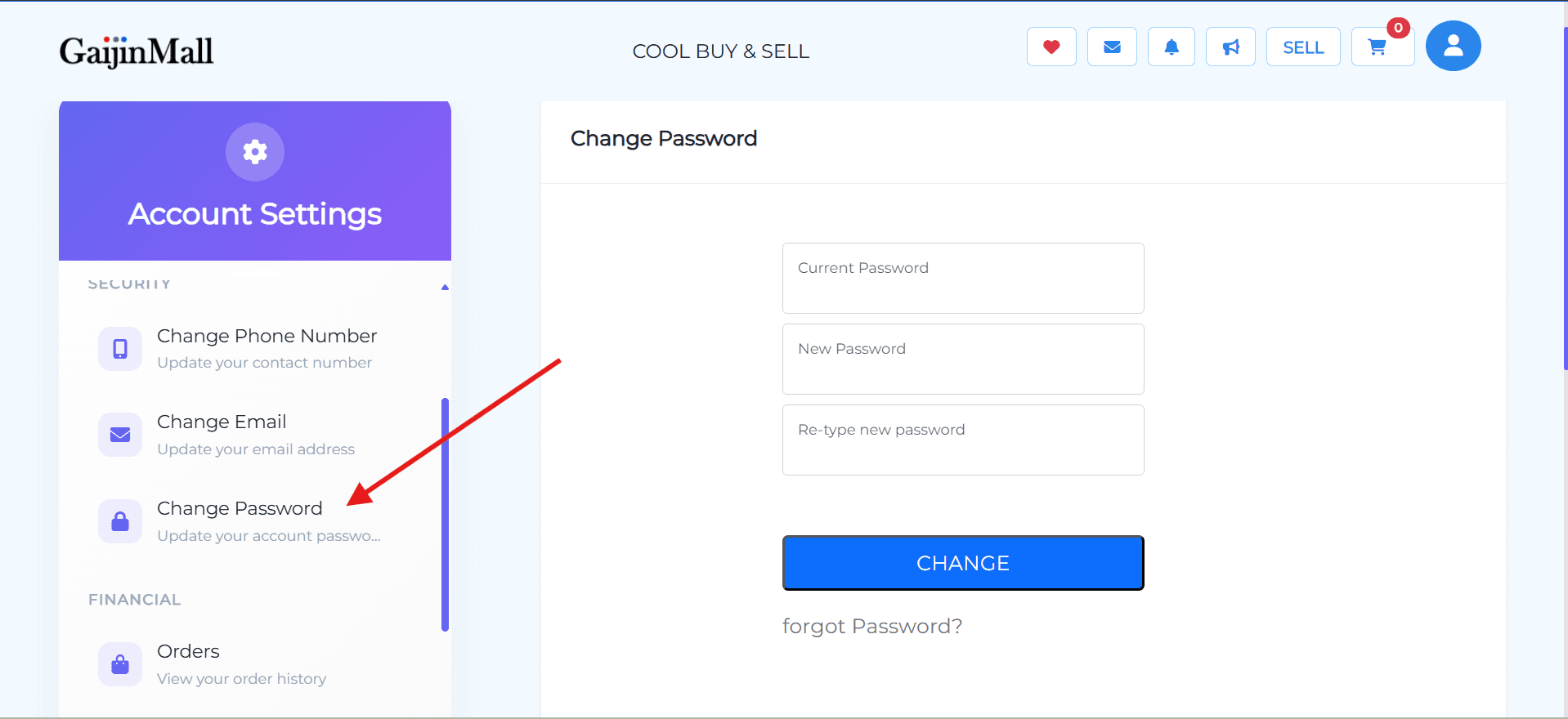
- Go to Profile Settings.
- Under the Security section, tap Change Password.
- Enter your current password, then the new password.
- Save changes.
Password Requirements
- Minimum of 6 characters
- Use a mix of uppercase, lowercase, numbers, and symbols for stronger security
- Avoid using common words or your username
Common Issues
- Didn’t receive reset email/SMS?
- Check your spam folder or wait a few minutes.
- Make sure you entered the correct contact info.
- Link expired?
- Go back to the login page and request a new reset link.
Need Help?
Still can’t reset your password? Contact Support with your registered email or phone number and a brief description of the issue.
Last updated on