🚀 Promoting Your Advert
Promoting your ads on Gaijinmall helps you reach a wider audience and increase your sales.
1. How to Promote an Ad
- Create an Ad: First, ensure you have an ad created in your account.
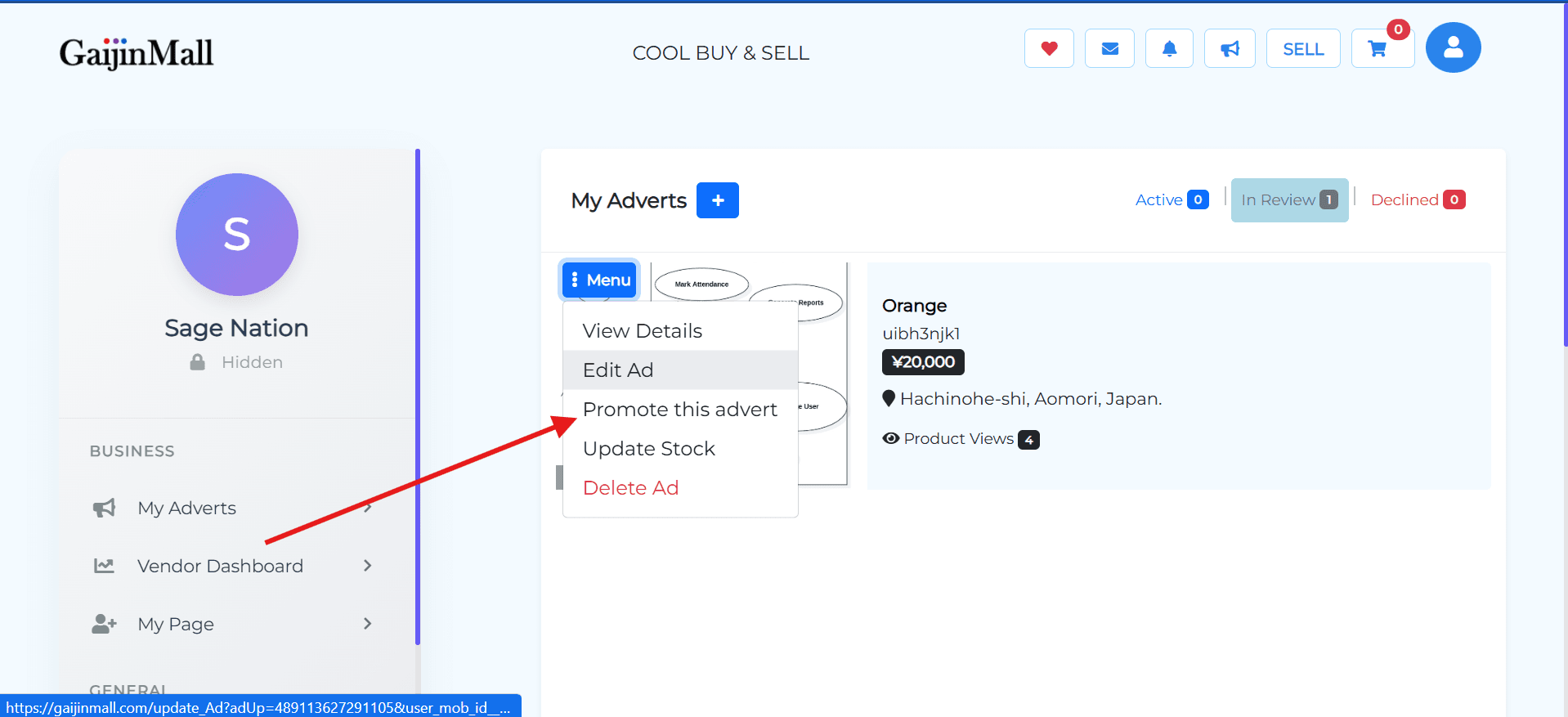
- Go to Your Dashboard: Navigate to your dashboard where all your ads are listed.
- Select an Ad: Find the ad you want to promote and click on it.
- Click the Blue Menu Button: You will see a blue menu button next to the ad. Click it to open a list of options.
- Select “Promote Ads”: From the menu, choose the “Promote Ads” button.
2. Choosing a Promotion Plan
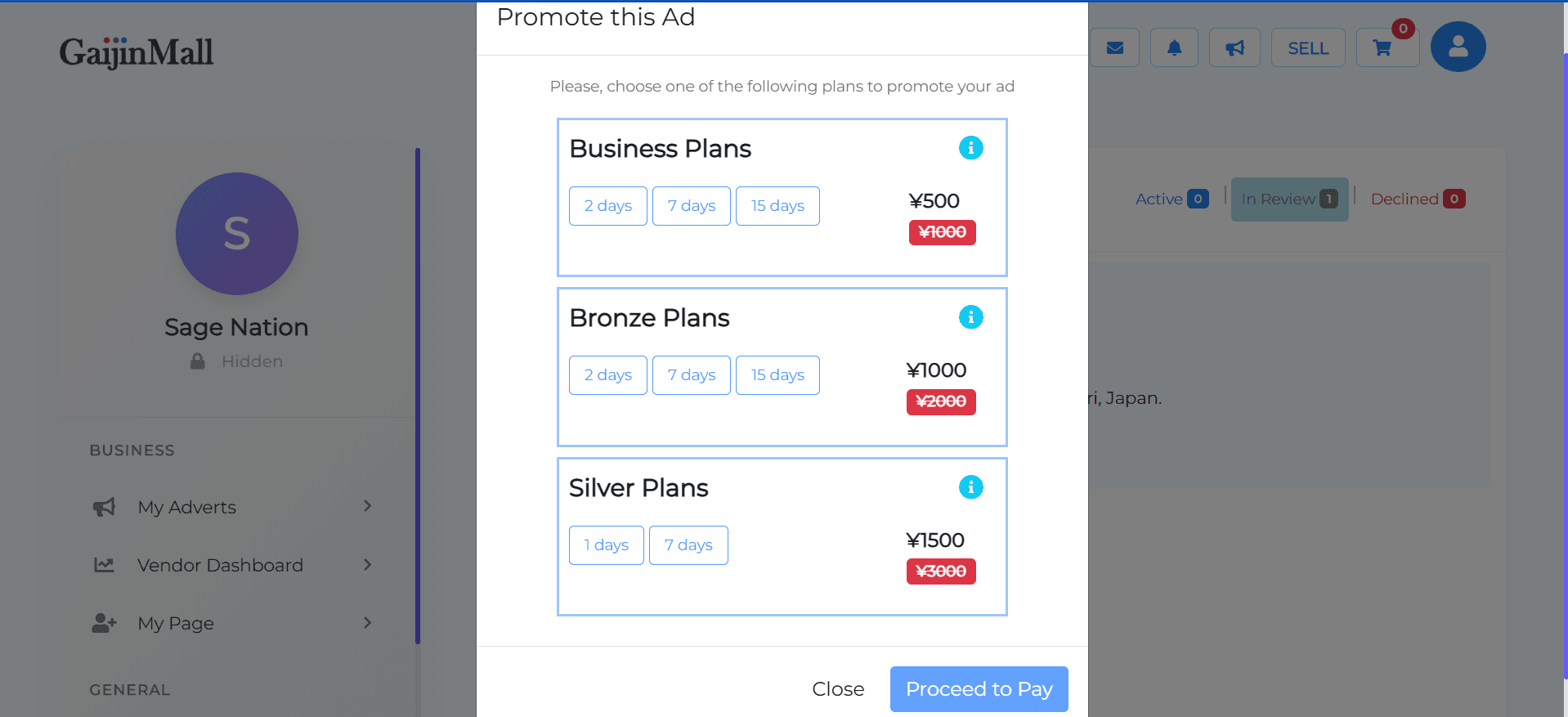
After clicking “Promote Ads,” you will be shown the available promotion plans to boost your listing.
Business Plans
- ¥500
- ¥1000
Bronze Plans
- ¥1000
- ¥2000
Silver Plans
- ¥1500
3. Completing the Payment
Once you choose a plan, you can proceed to make the payment. You will receive a confirmation once the payment is successful, and your ad’s visibility will be increased immediately.
🆘 Need Help?
If you are having trouble promoting your ad or managing your GMPoints, visit our Contact Support page for assistance.
Last updated on