Setting Up a Seller Account
On Gaijinmall, every user is empowered to both buy and sell. There’s no need to create a separate seller account, you only need to activate your selling features within your existing account.
Step-by-Step Guide to Start Selling
-
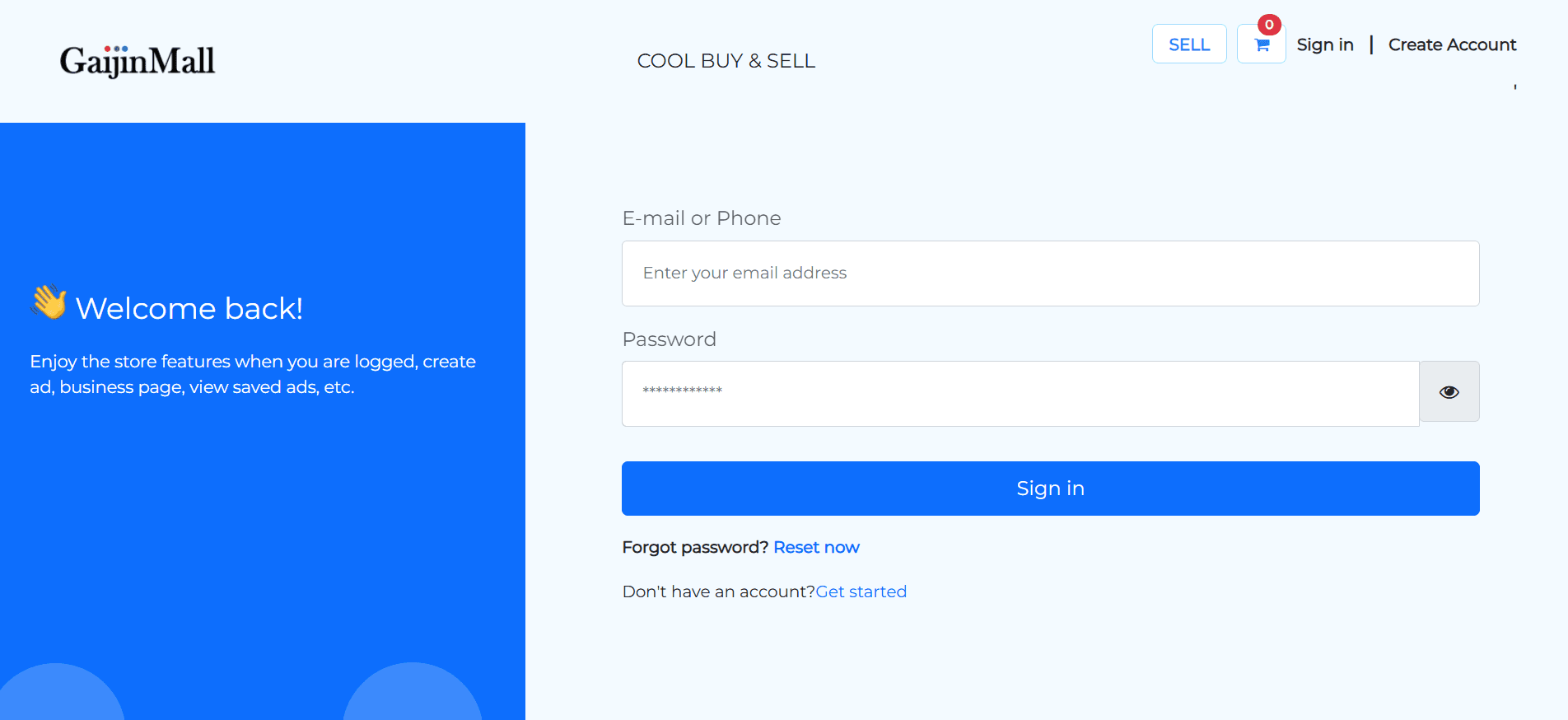
Sign In to Your Account
- Use your registered email or phone number to log in.
-
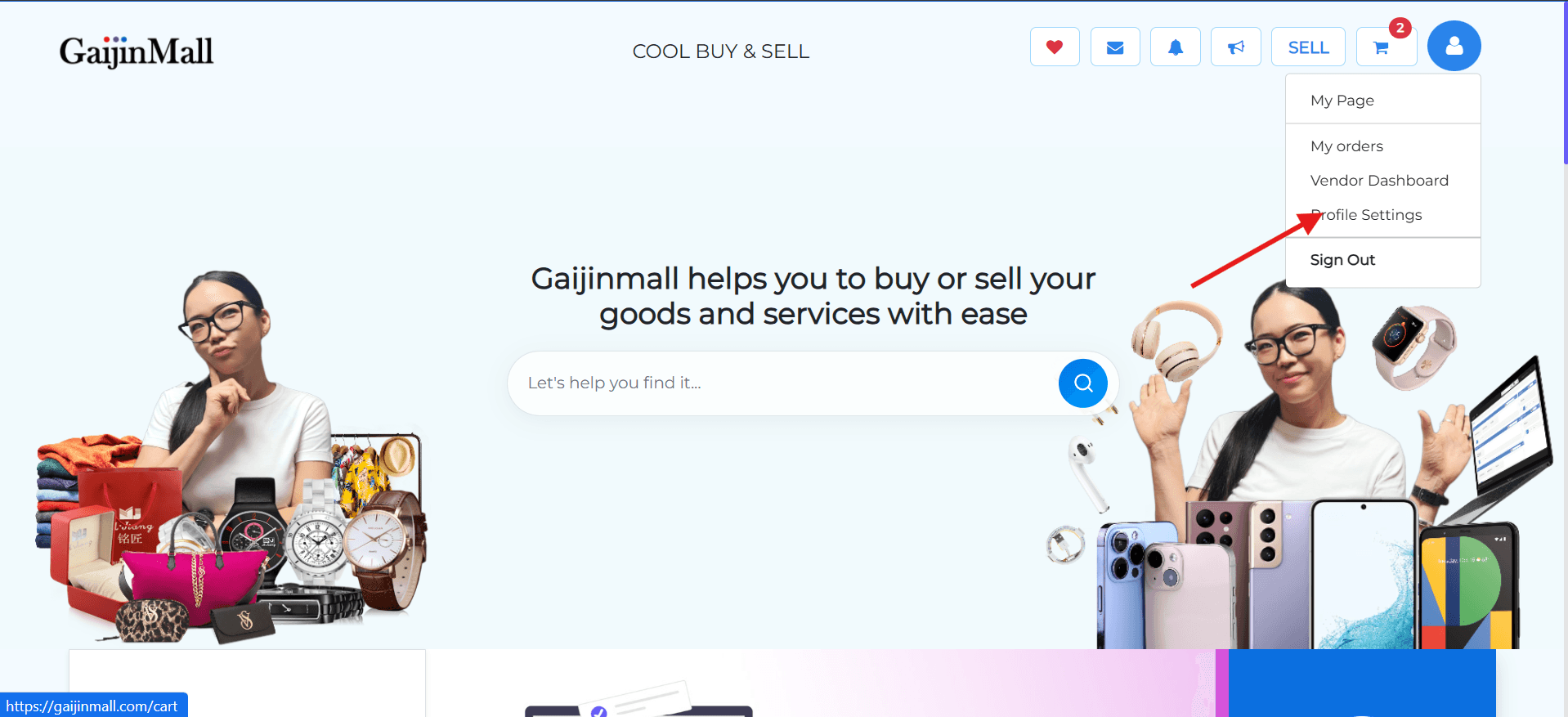
Go to Your Profile Settings
- Tap the profile icon in the top-right corner.
- Select Account Settings from the menu.
-
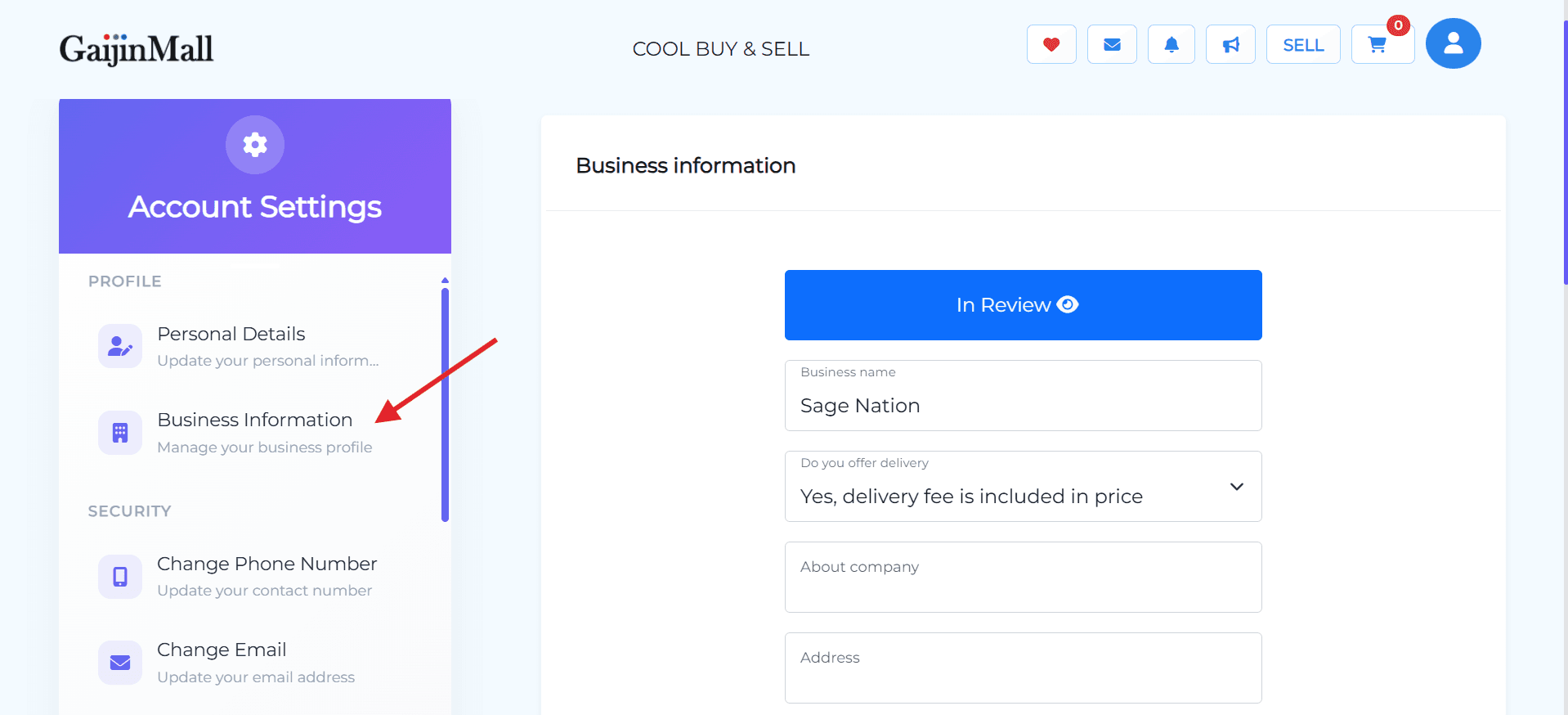
Complete Business Information
- In the settings menu, go to Business Information.
- Fill in your store or brand name, location, and business description (if applicable).
-
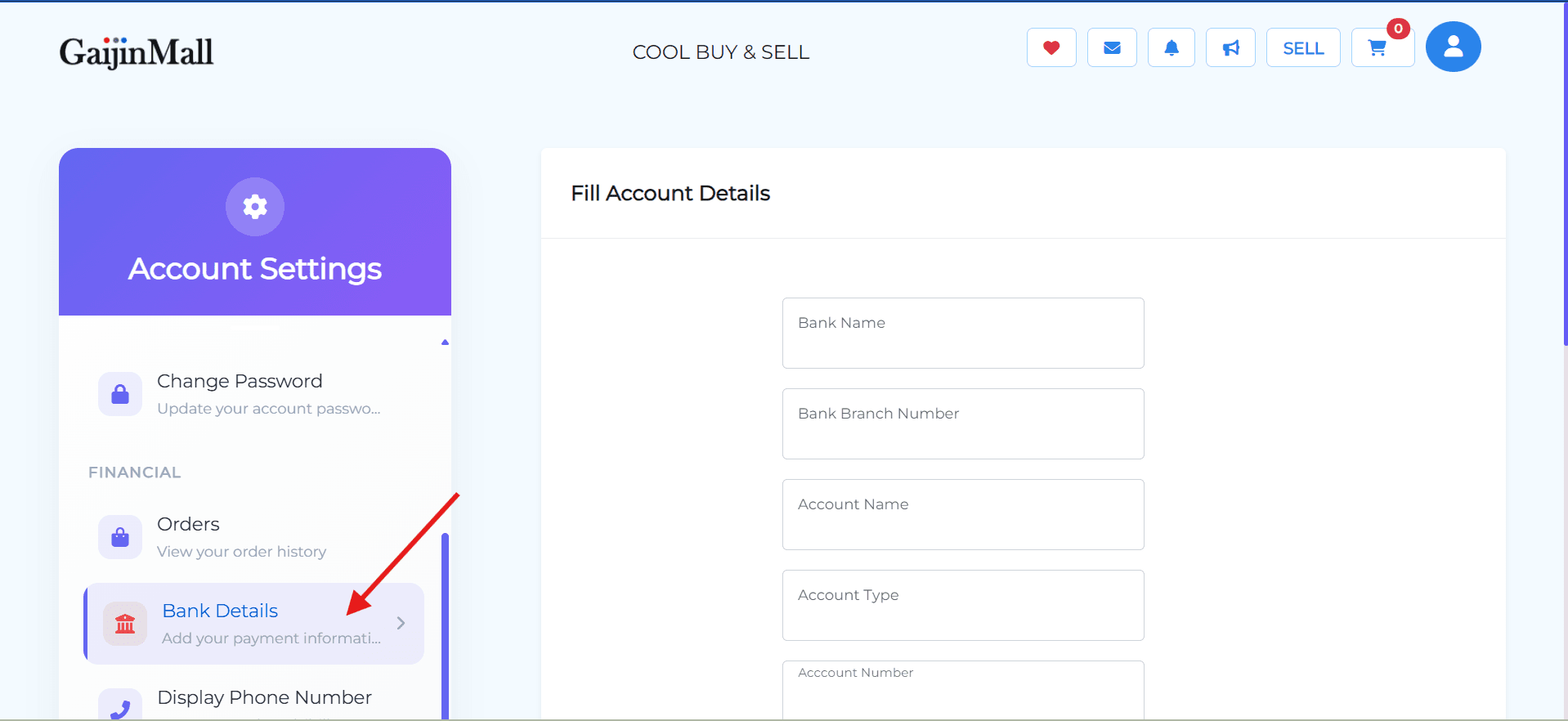
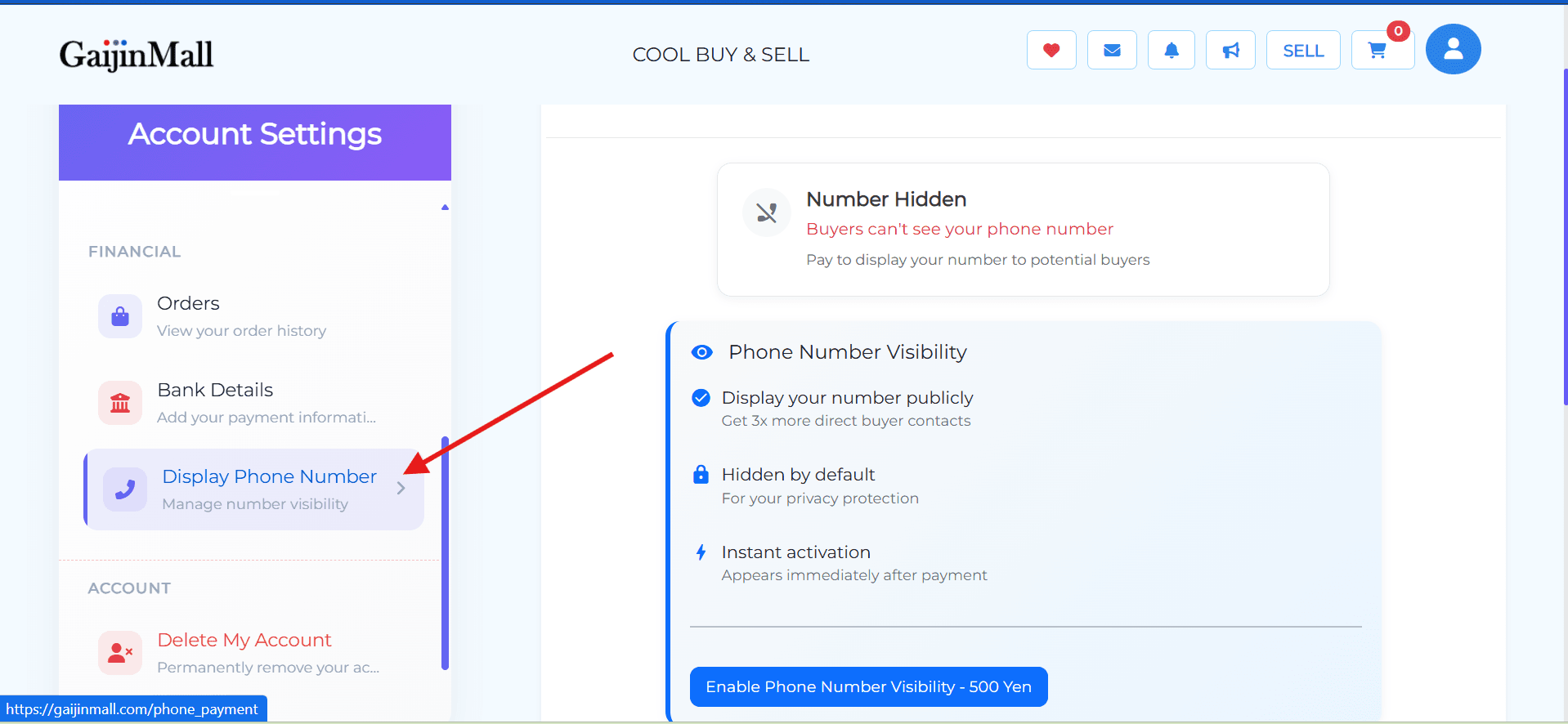
Add Bank Details
- Navigate to Bank Details under the Financial section.
- Enter your bank account information.
Required to receive payments from buyers.
-
Set Display Phone Number
- Enable your phone number to be visible to potential buyers.
Required for vendor verification.
- Enable your phone number to be visible to potential buyers.
Listing Your First Product
Once your selling setup is complete:
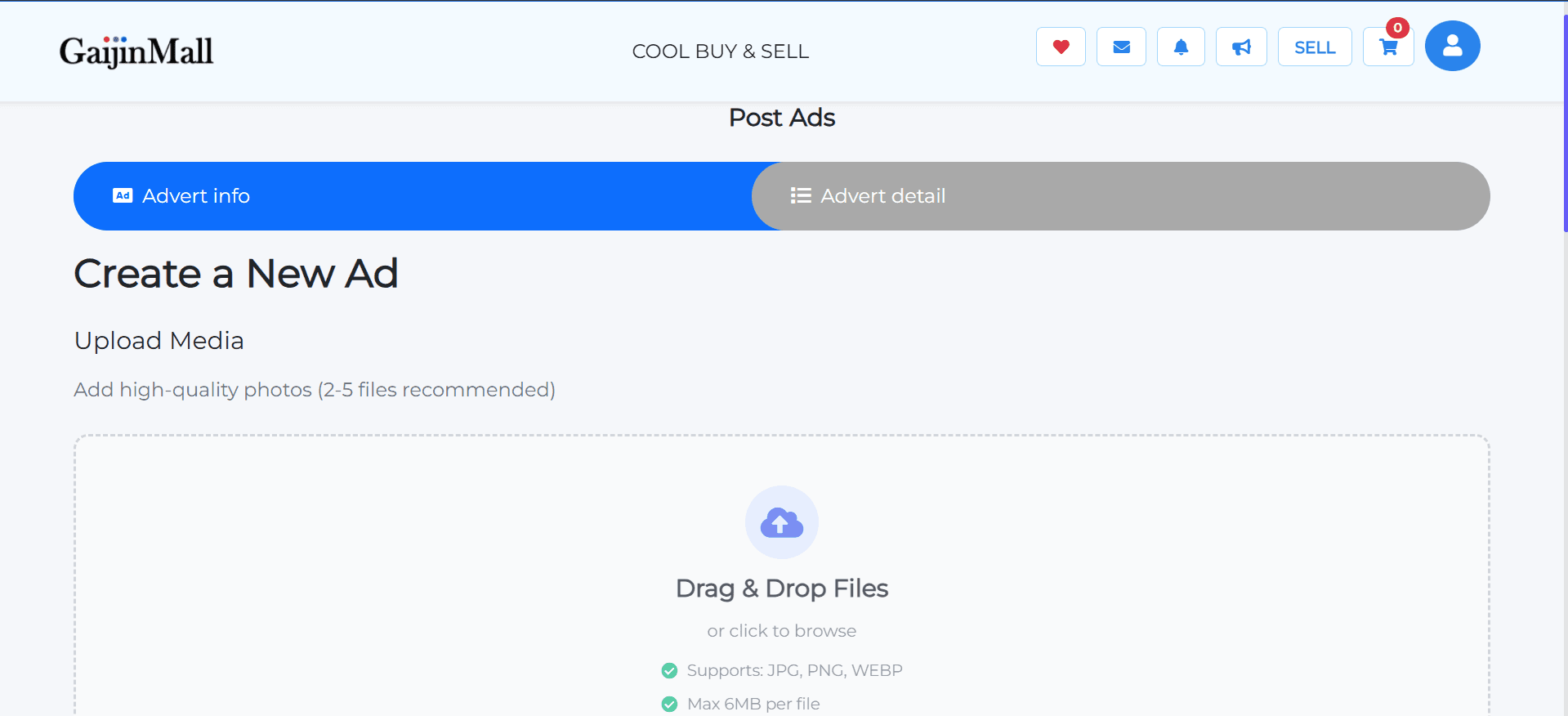
- Go to the Sell tab on the homepage.
- Tap Create New Listing.
- Fill in product details, price, category, and upload clear photos.
- Submit the listing for approval (if required) or publish instantly.
Tips for New Sellers
- Use clear, high-quality images for your products.
- Be honest and specific in your descriptions.
- Respond quickly to buyer messages.
- Keep your bank info and phone number updated for smooth transactions.
Need Help?
If you’re having trouble activating seller features or listing products, visit Contact Support for assistance.
Last updated on