🚚 Tracking Your Orders
Once you’ve placed an order on Gaijinmall, you can easily check its status and track its progress from a single, convenient location.
1. How to Check Your Order Status
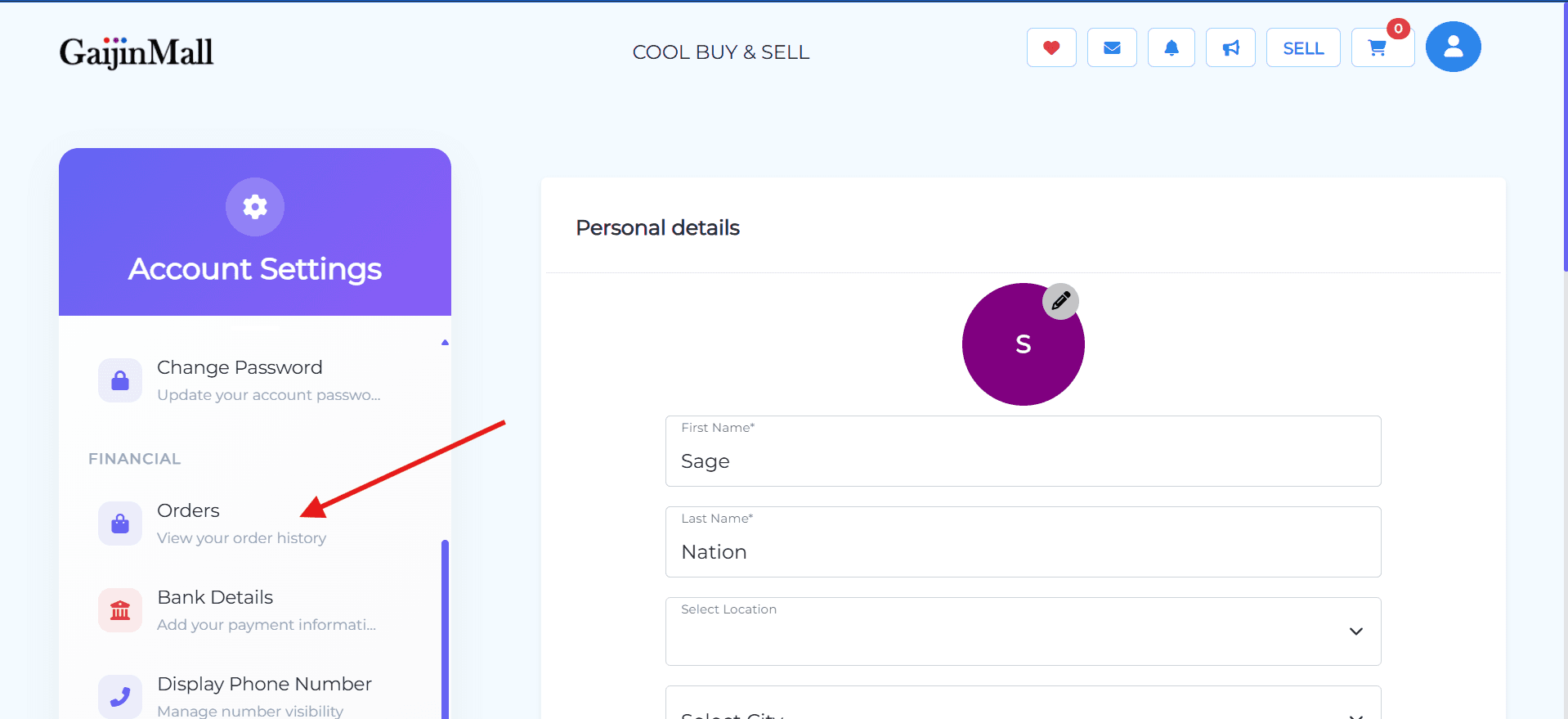
- Go to Your Dashboard: Click on your profile icon at the top of the page.
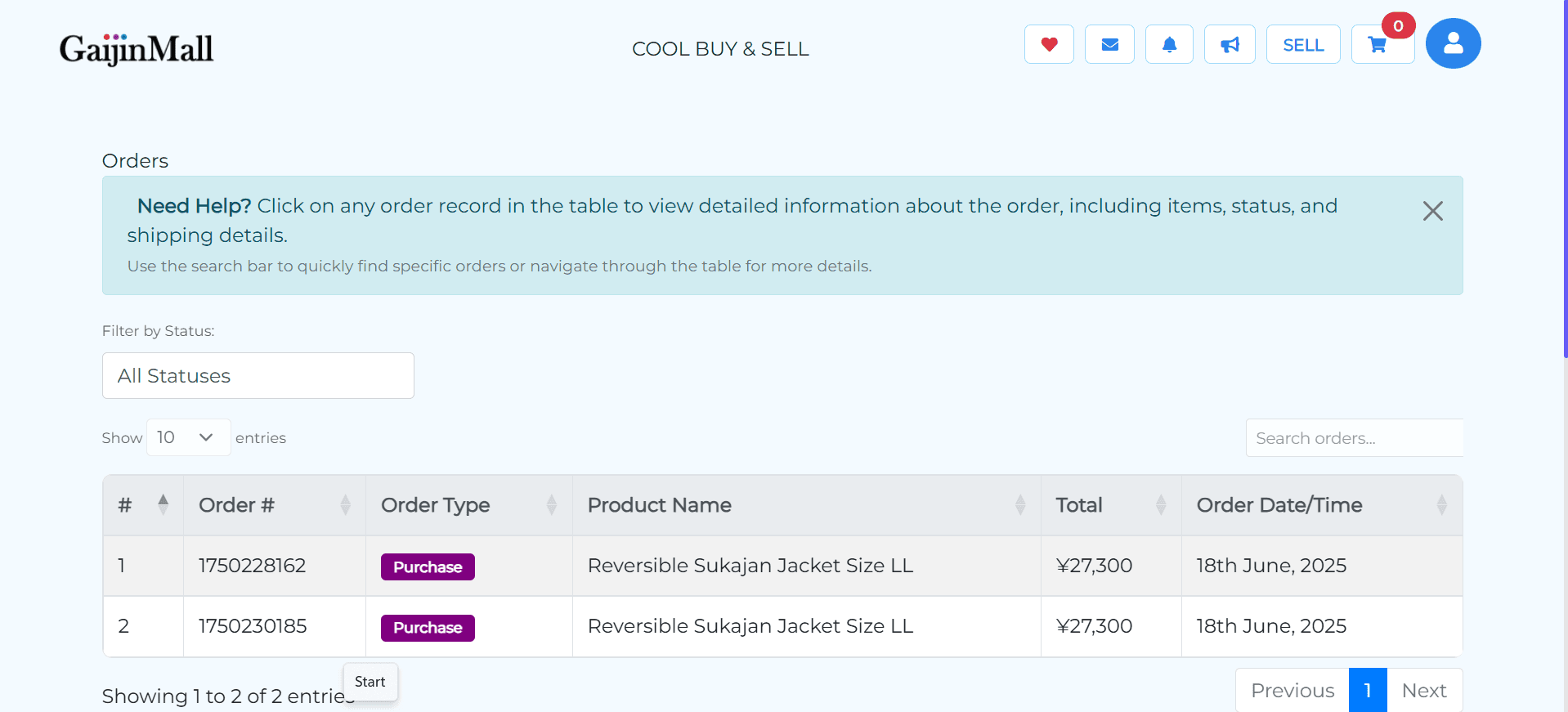
- Navigate to “Orders”: From your dashboard, select the “Orders” section to see a list of all your purchases.
2. Understanding Order Statuses
Each order has a status that helps you know its progress.
- Pending: The order has been placed but is awaiting confirmation from the seller.
- Accepted: The seller has seen your order and will start preparing it for shipment.
- Shipped / Out for Delivery: The item is on its way to you. A tracking number may be provided.
- Delivered: The item has been successfully delivered to your address.
- Cancelled: The order was canceled by either you or the buyer.
🆘 What if I Have an Issue?
If you are concerned about a delay or if your order status isn’t updating as expected, you can:
- Message the Seller: Reach out to the seller directly for an update.
- Contact Support: For serious issues, please visit our Contact Support page for assistance.
Last updated on