🔗 How to Share a Product Listing
Found a product you love or want to get a second opinion from a friend? Gaijinmall makes it easy to share any product listing on social media or through a direct link.
1. How to Share an Ad
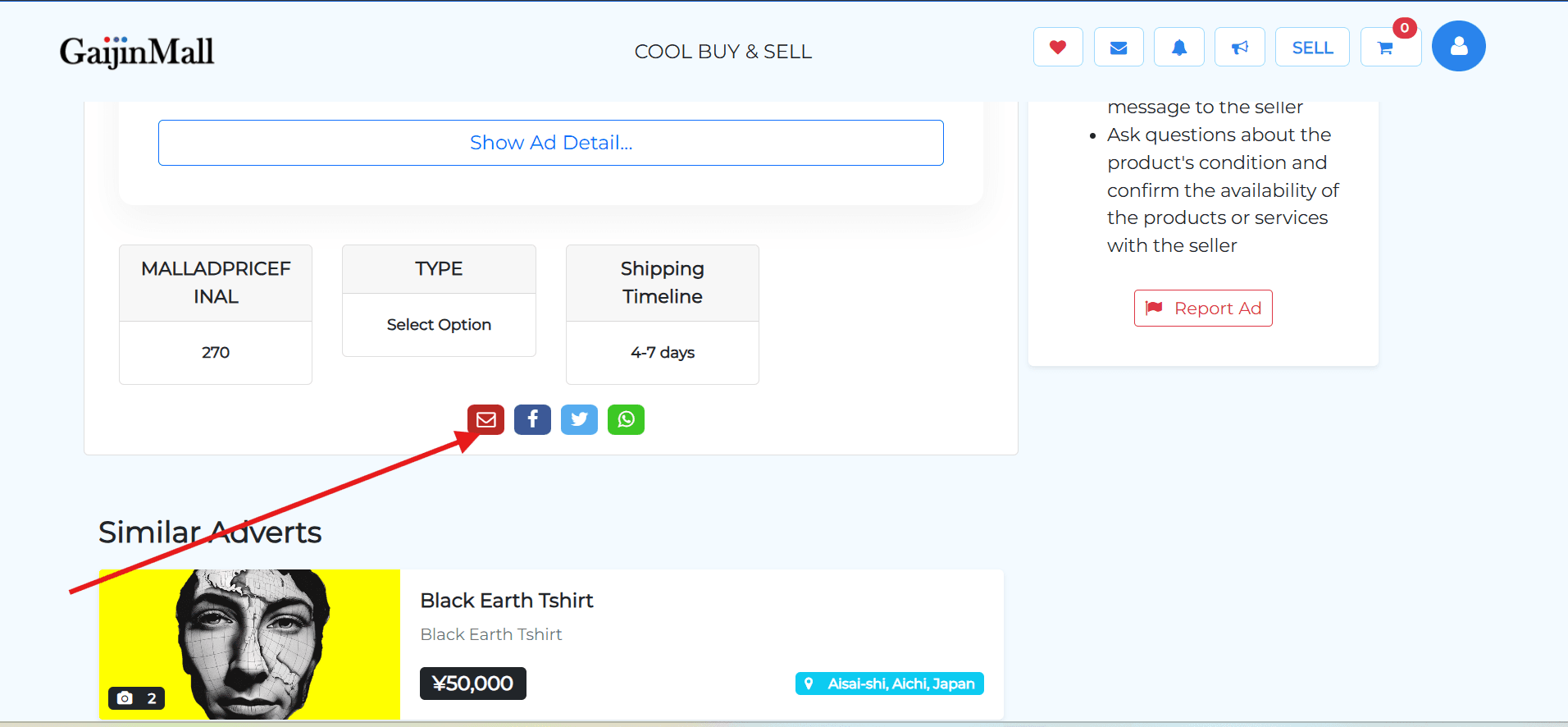
- Go to the Product Listing: Navigate to the page of the product you want to share.
- Find the Social Media Icons: Look for the WhatsApp, Twitter(X), Facebook, and Gmail icons.
- Click an Icon: Click on the icon for the platform you want to share the ad on.
- Share the Link: A pop-up will appear, allowing you to share the product link.
2. Why Share a Listing?
- Get a second opinion: Ask a friend what they think of an item before you buy it.
- Help a friend: Share a product you think a friend might be interested in.
- Save it for later: Send a link to yourself to save an ad outside of your watchlist.
Last updated on